Vendwick Features
The Vendwick admin and storefront, one screen at a time. Each screenshot opens at full size.
Version 0.2.0 is the current release. It came out on November 15, 2026 and costs $249 once or $59 per year. Every screen on this page is in it.
The screenshots show a demo store with sample data.
Setup Wizard
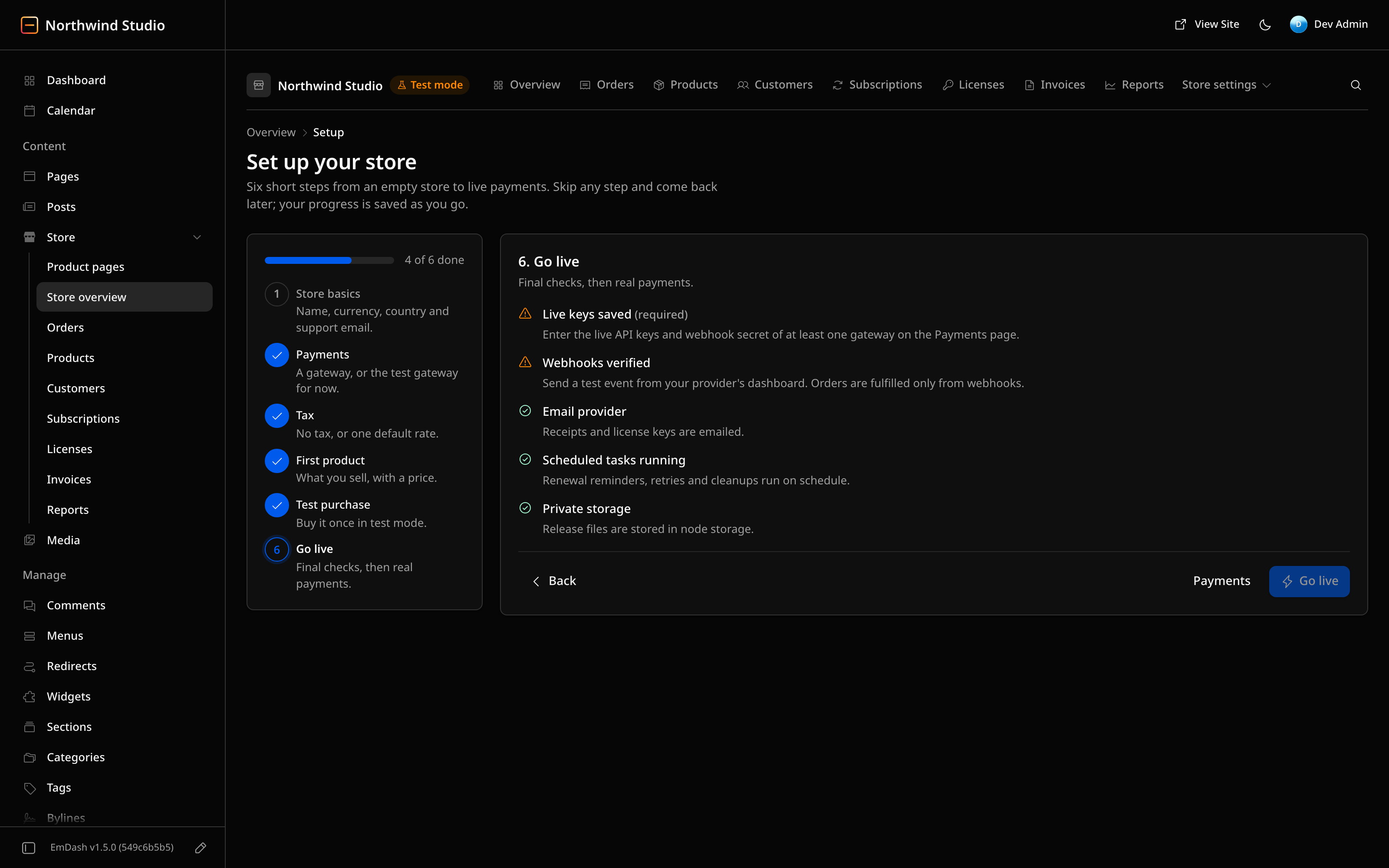
The wizard takes an empty store to live payments in 6 steps. Any step can be skipped and picked up later.
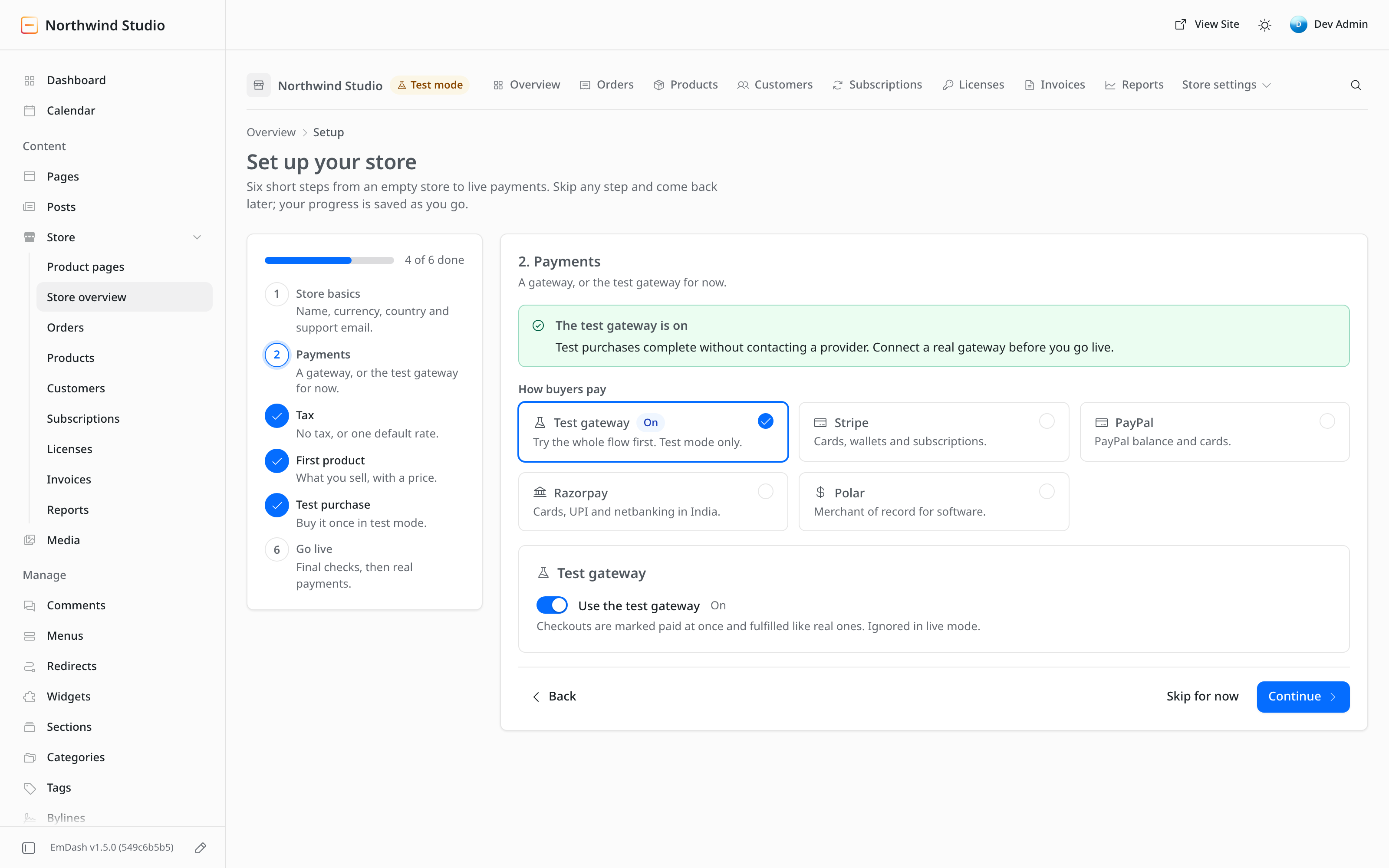
- Store basics: name, currency, country and support email
- Payments: a gateway, or the built-in test gateway that completes checkouts without contacting a provider
- Tax
- A first product
- A test purchase that the wizard watches for
- A go-live checklist: live keys, webhooks, email provider, scheduled tasks and private storage
Store Overview
The overview is a home page for the store inside the EmDash admin. It shows how the store did over a period and what needs a look.
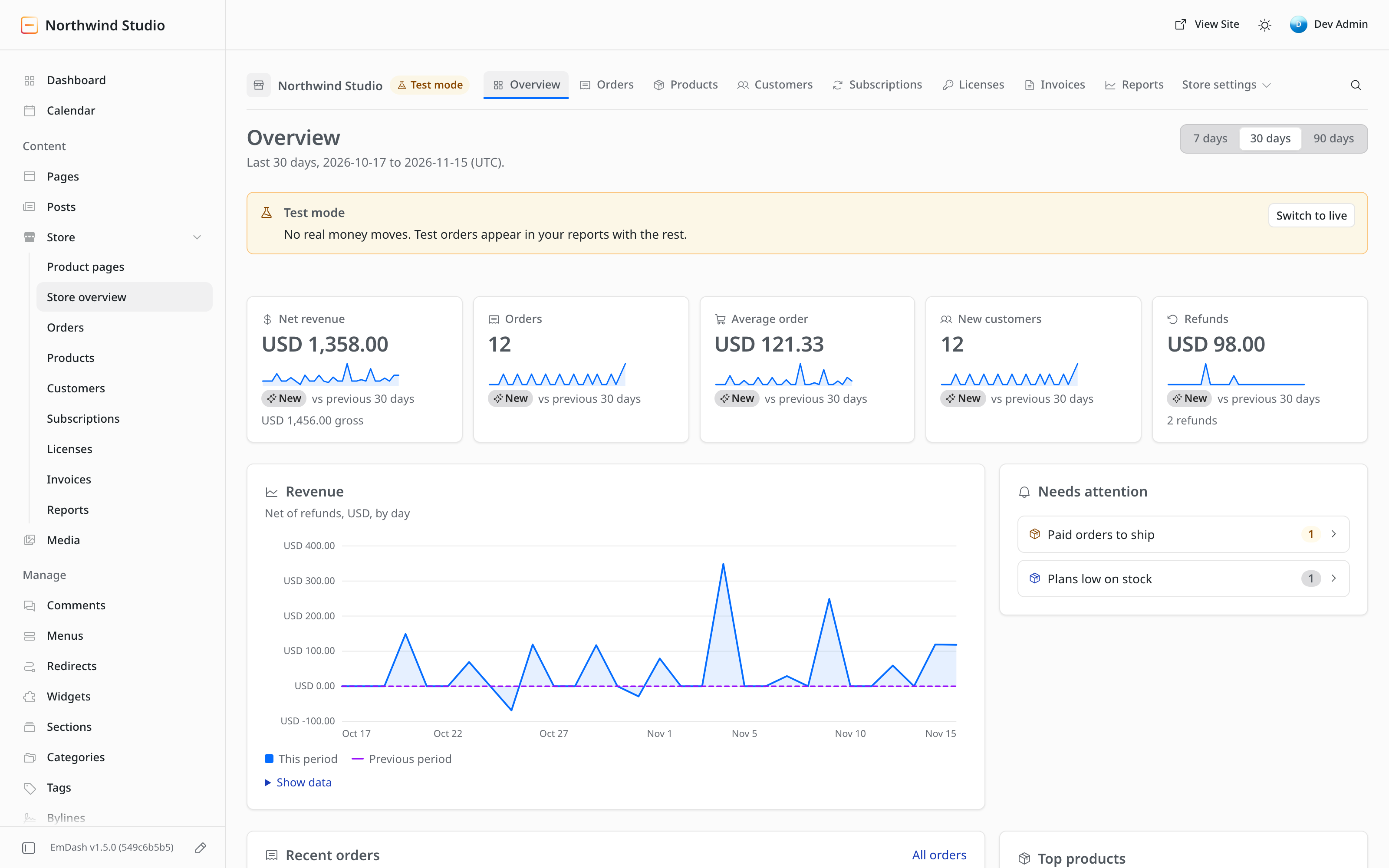
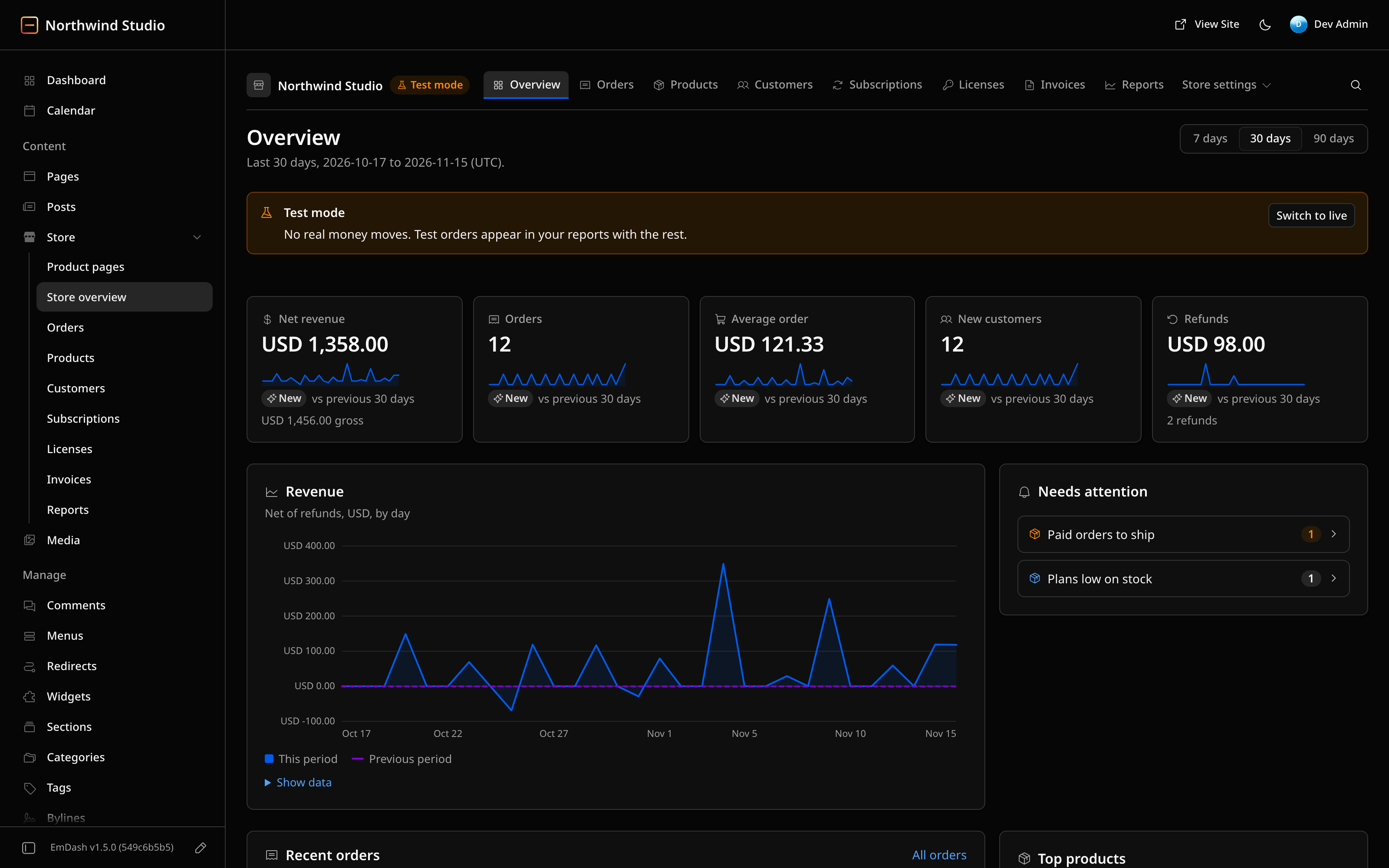
- Net revenue, orders, average order, new customers and refunds, each with a trend against the previous period
- A revenue chart by day, net of refunds
- Recent orders and top products
- A Needs attention list for failed deliveries, open disputes, past-due renewals and pending refunds
- A switch between 7, 30 and 90 days
EmDash Dashboard and Sidebar
Vendwick adds four widgets to EmDash's own dashboard, so the store shows up on the first screen of the admin.
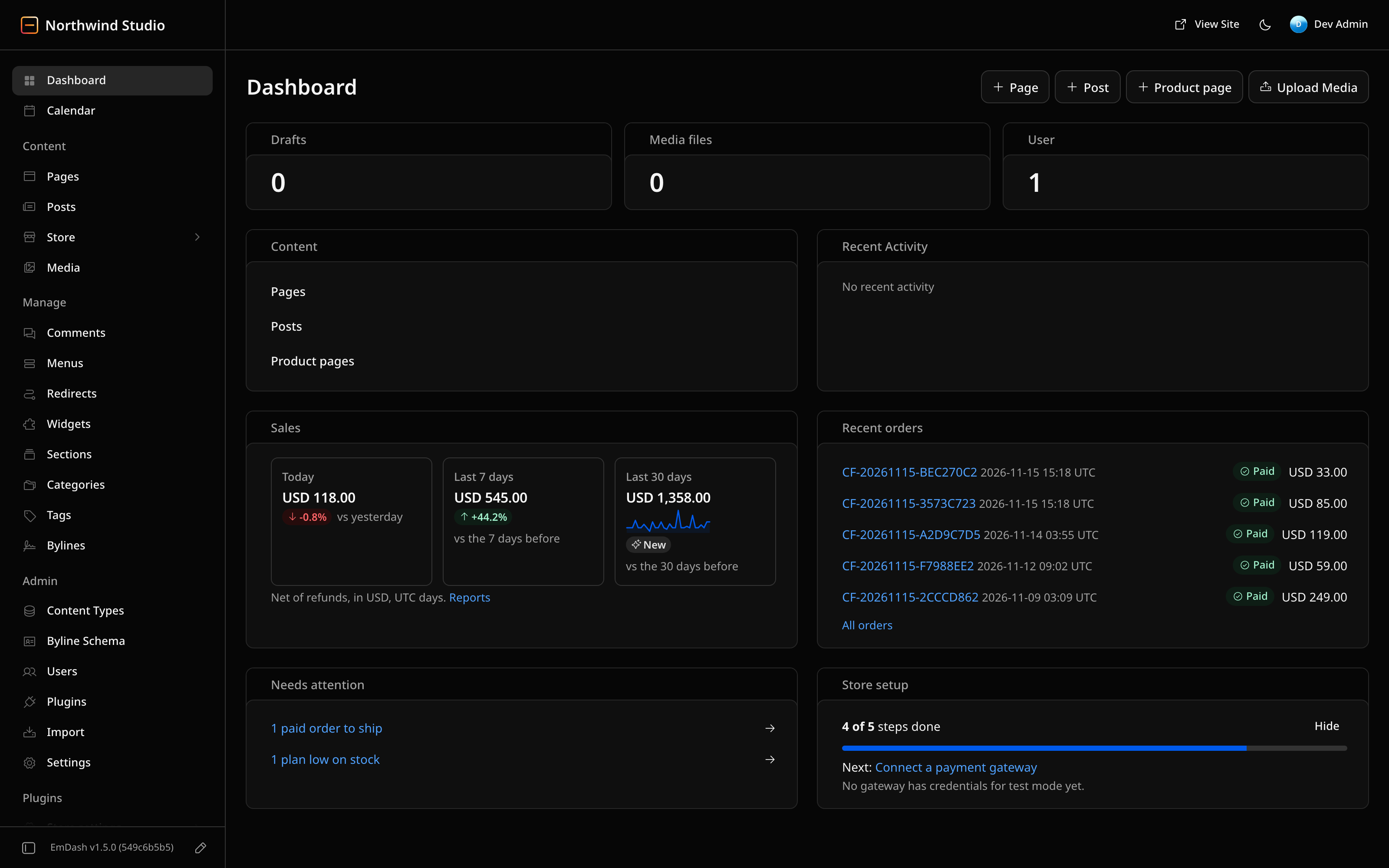
- Sales for today, the last 7 days and the last 30 days
- Recent orders, Needs attention and Store setup
- EmDash puts plugin pages at the bottom of its sidebar. One click pins a Store folder under Content, next to Pages and Posts
- The pin works by adding a Product pages content type: long-form pages written in the EmDash editor that show on the product's store page
Orders
The orders list finds an order quickly and acts on several at once.
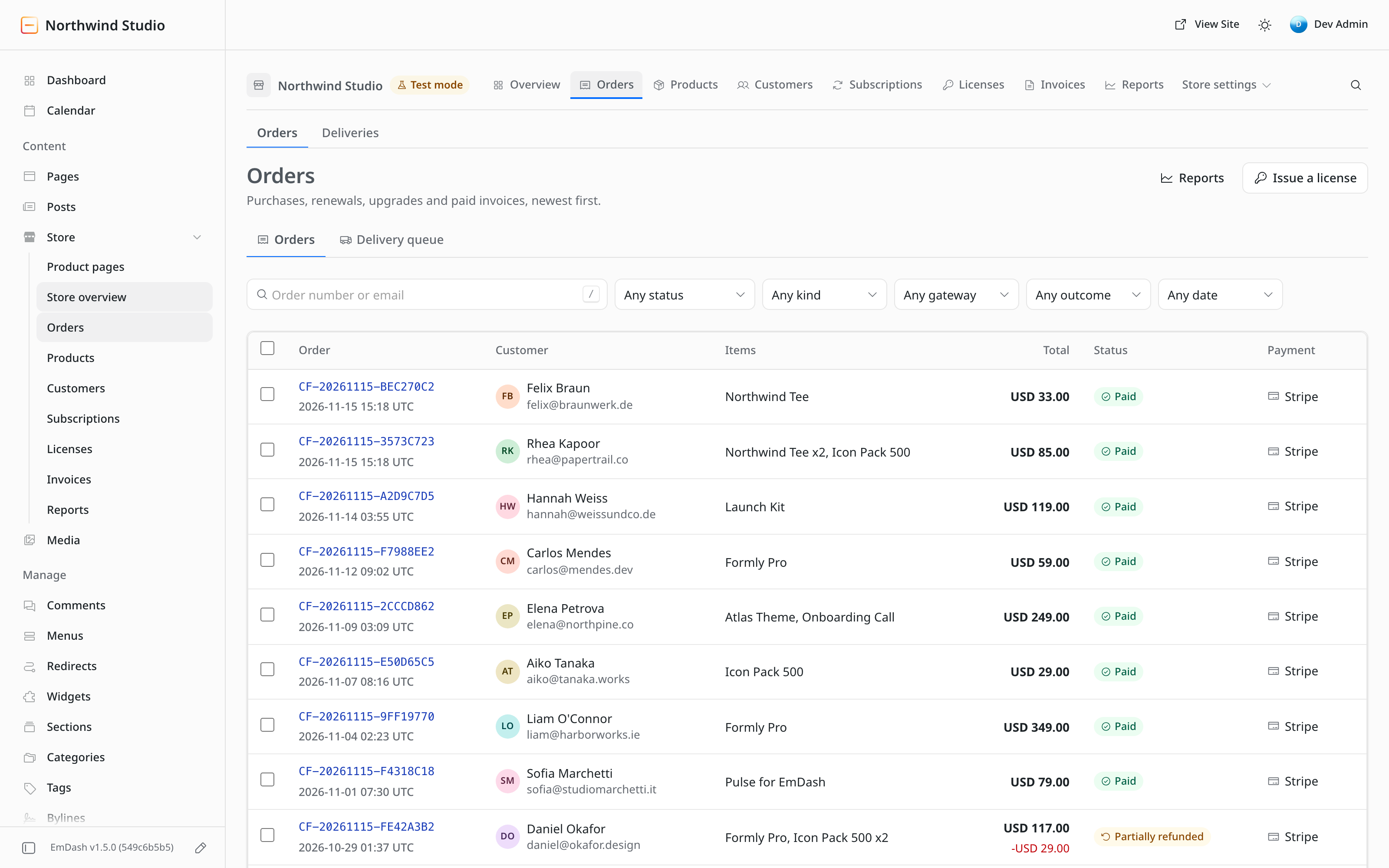
- Filters that combine: status, kind, gateway, date, and refunded or disputed
- Search by order number or email
- Numbered paging
- Row selection with CSV export and receipt resend
Order Details
One order opens in one panel, with everything about it in a single place.
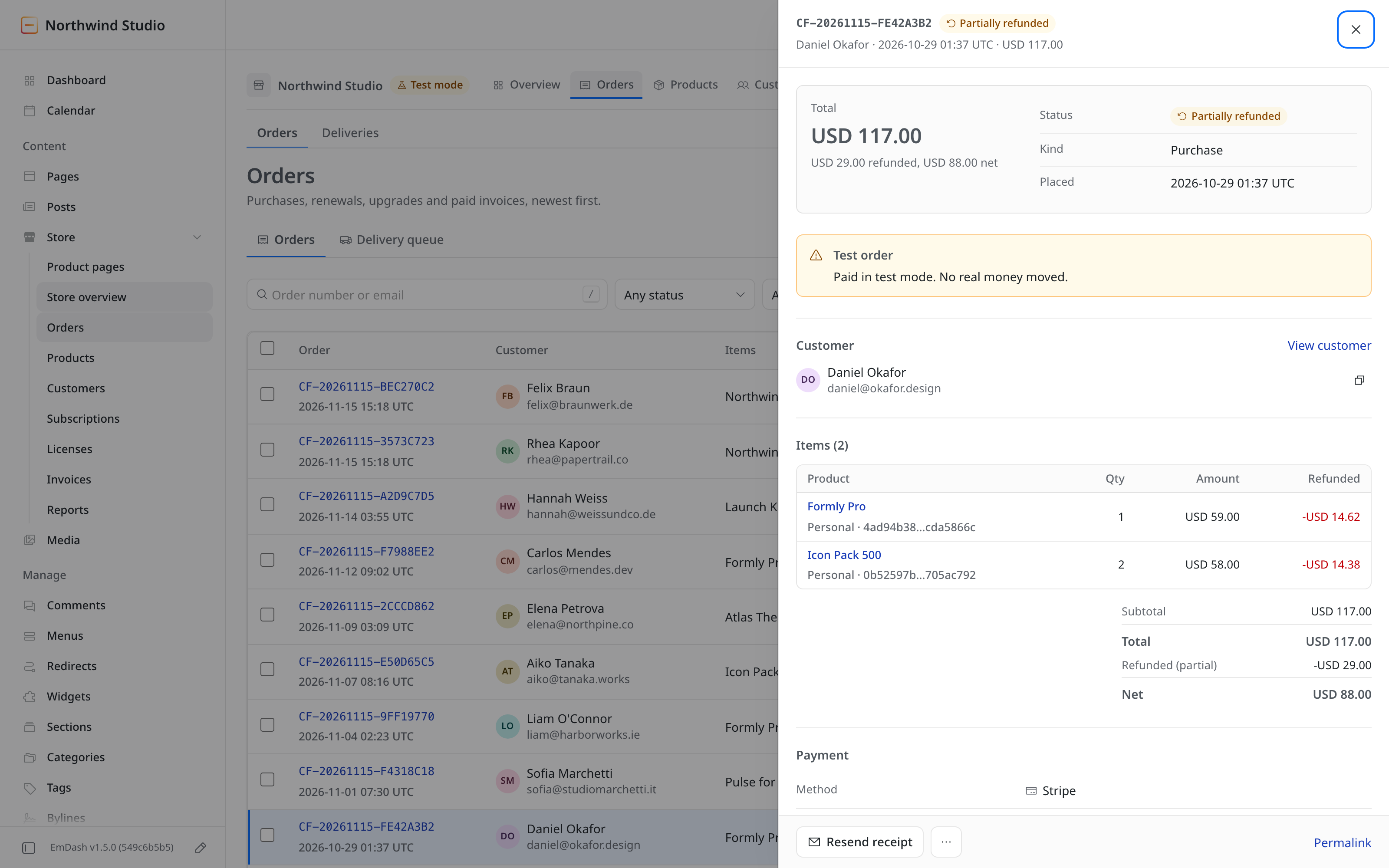
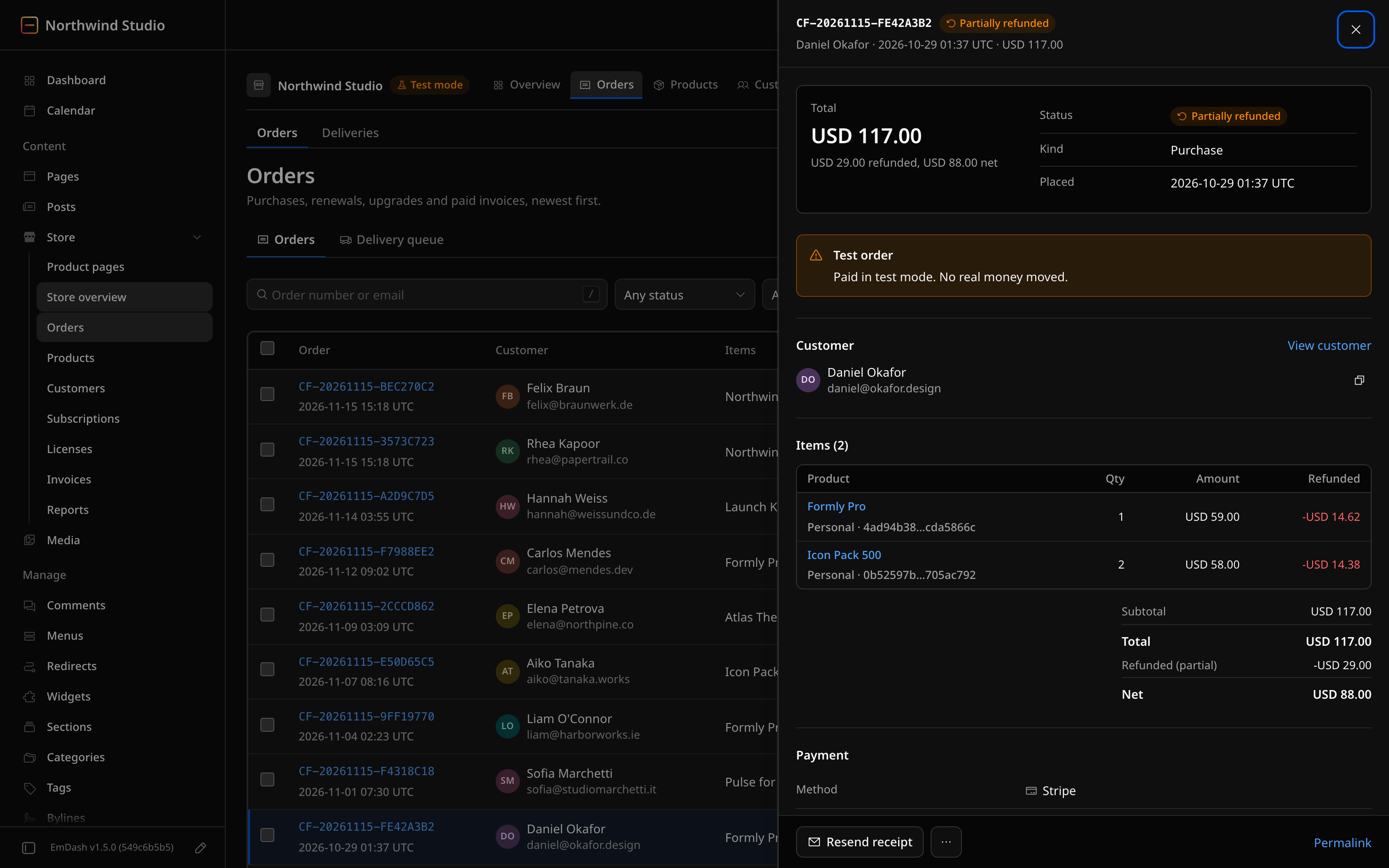
- Items with the amount refunded on each one
- Totals and payment details
- The invoice and any credit notes
- The licenses the order issued
- A timeline of what happened to the order
Refunds From the Admin
A refund starts from the order itself, by amount or by item.
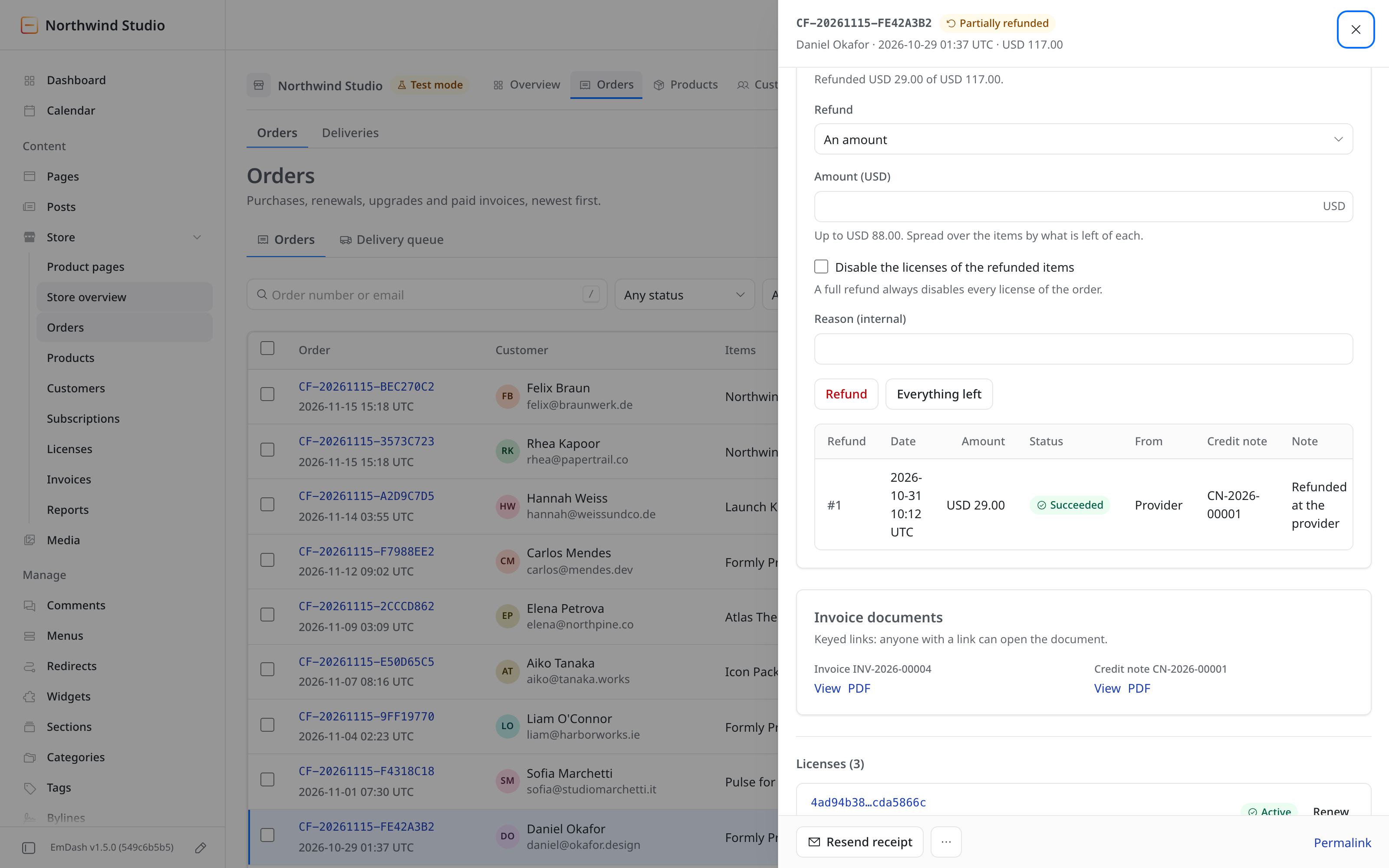
- Refund an amount or chosen items
- Optionally disable the licenses of the refunded items
- Partial refunds are tracked per item
- Every refund gets its own credit note
- An open dispute suspends the order's licenses until it closes
Payments
Stripe, PayPal, Razorpay and Polar each get a card on one page. Refunds and disputes have not been run against the gateways' live sandboxes, so a test-mode purchase and refund with each gateway comes first.
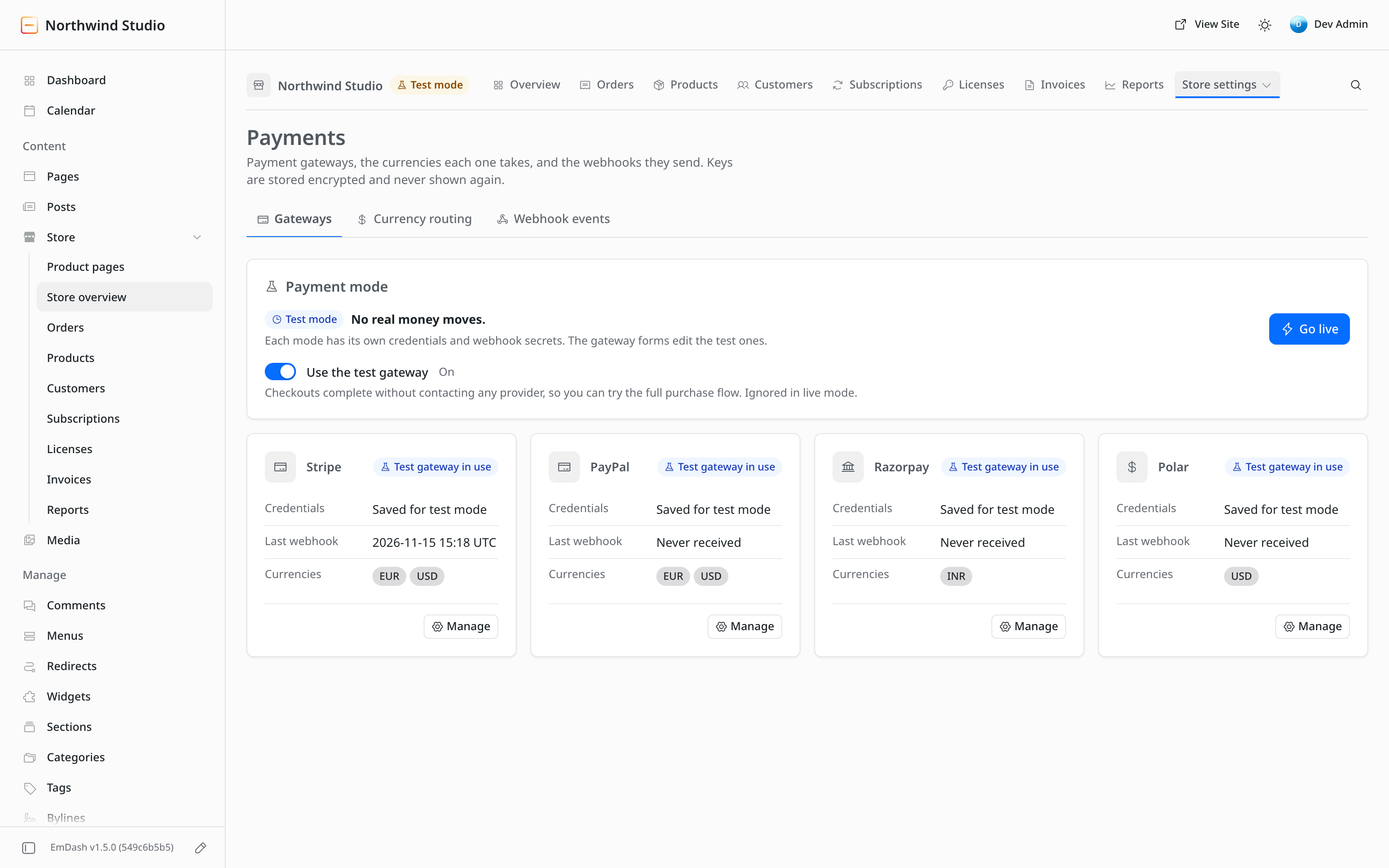
- Separate test and live credentials for each gateway
- The webhook URL to copy, and the last webhook received
- Currency routing: which gateway takes which currency
- A store-wide test mode, and a test gateway that completes checkouts without contacting a provider
Reports
Reports cover any date range, one currency at a time.
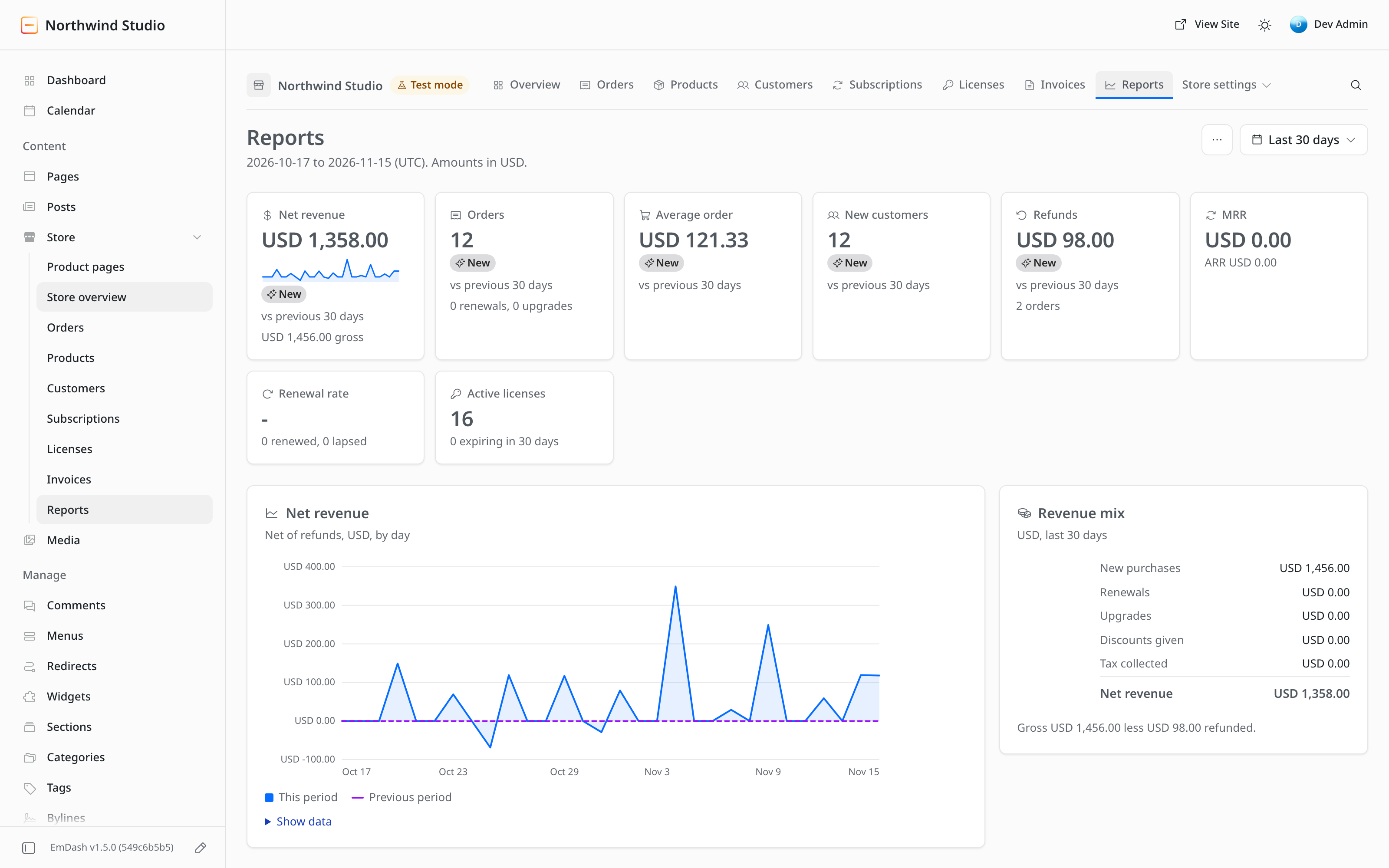
- Revenue, MRR, renewal rate and refunds
- Top products
- CSV export
PDF Invoices and Credit Notes
Vendwick writes invoices and credit notes as PDF files with its own PDF writer. It has no dependency and needs no headless browser, so it runs inside a Cloudflare Worker.
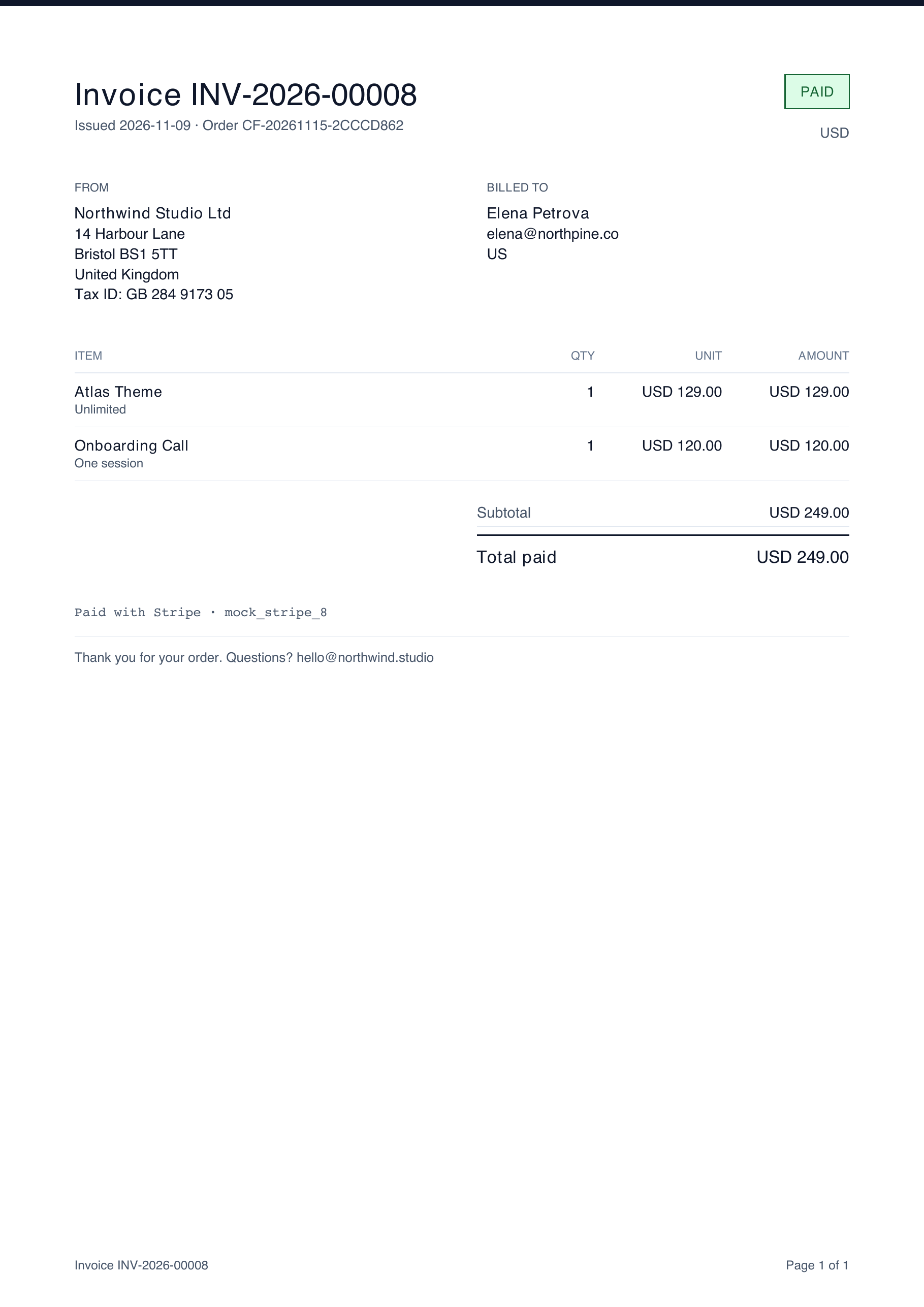
- Order invoices, credit notes and client invoices
- A4 or US Letter paper
- The built-in engine handles Latin text only
Catalog
One list holds every kind of product. The screenshot shows 7 of the 8 types: WordPress plugin, WordPress theme, EmDash plugin, digital download, bundle, service and physical product. Events are the 8th.
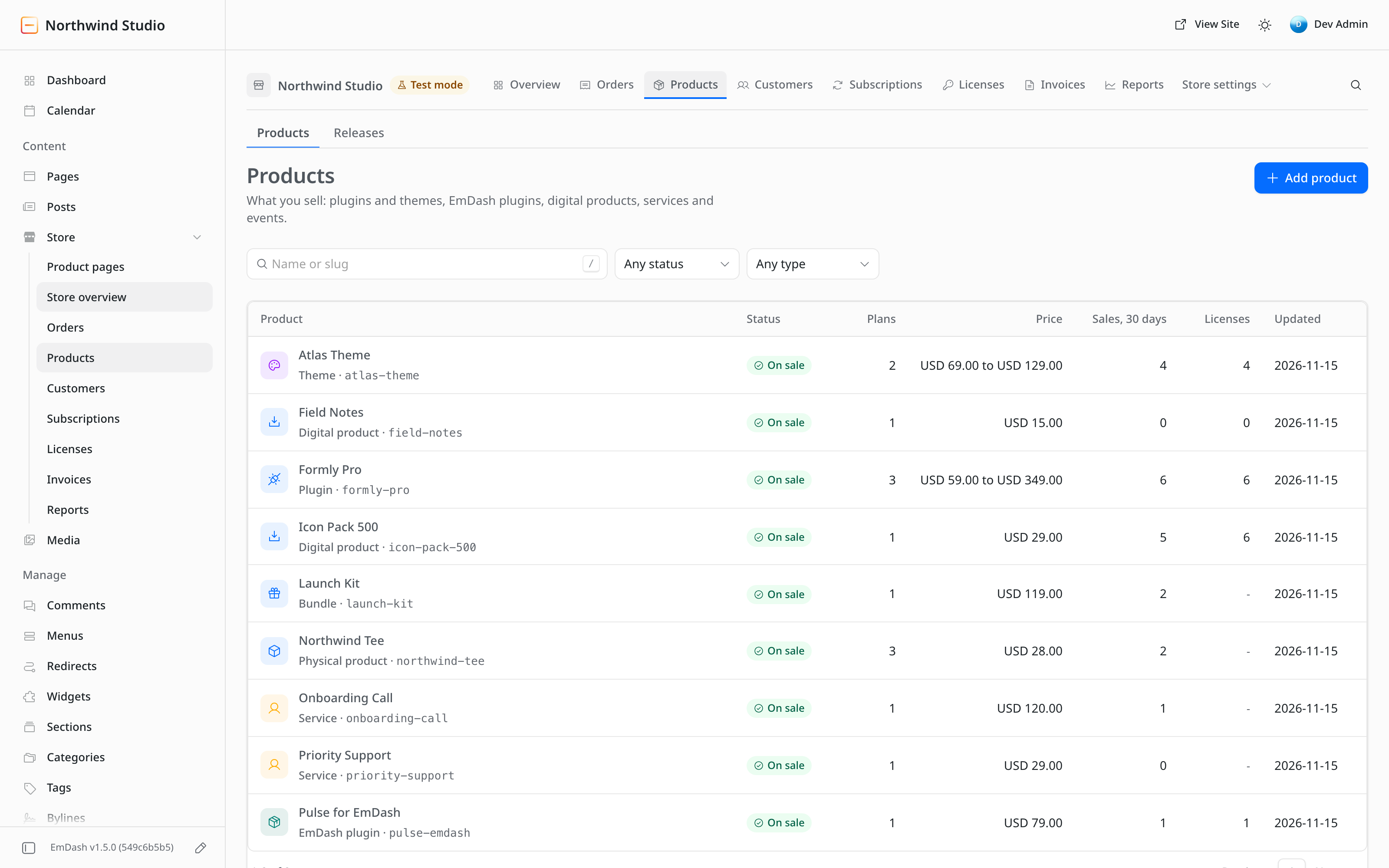
- Status, plan count, price range, 30-day sales and license count for each product
- Search by name or slug, and filters for status and type
- Bundles: one purchase, and each licensed product inside gets its own license
Plans and Licensing
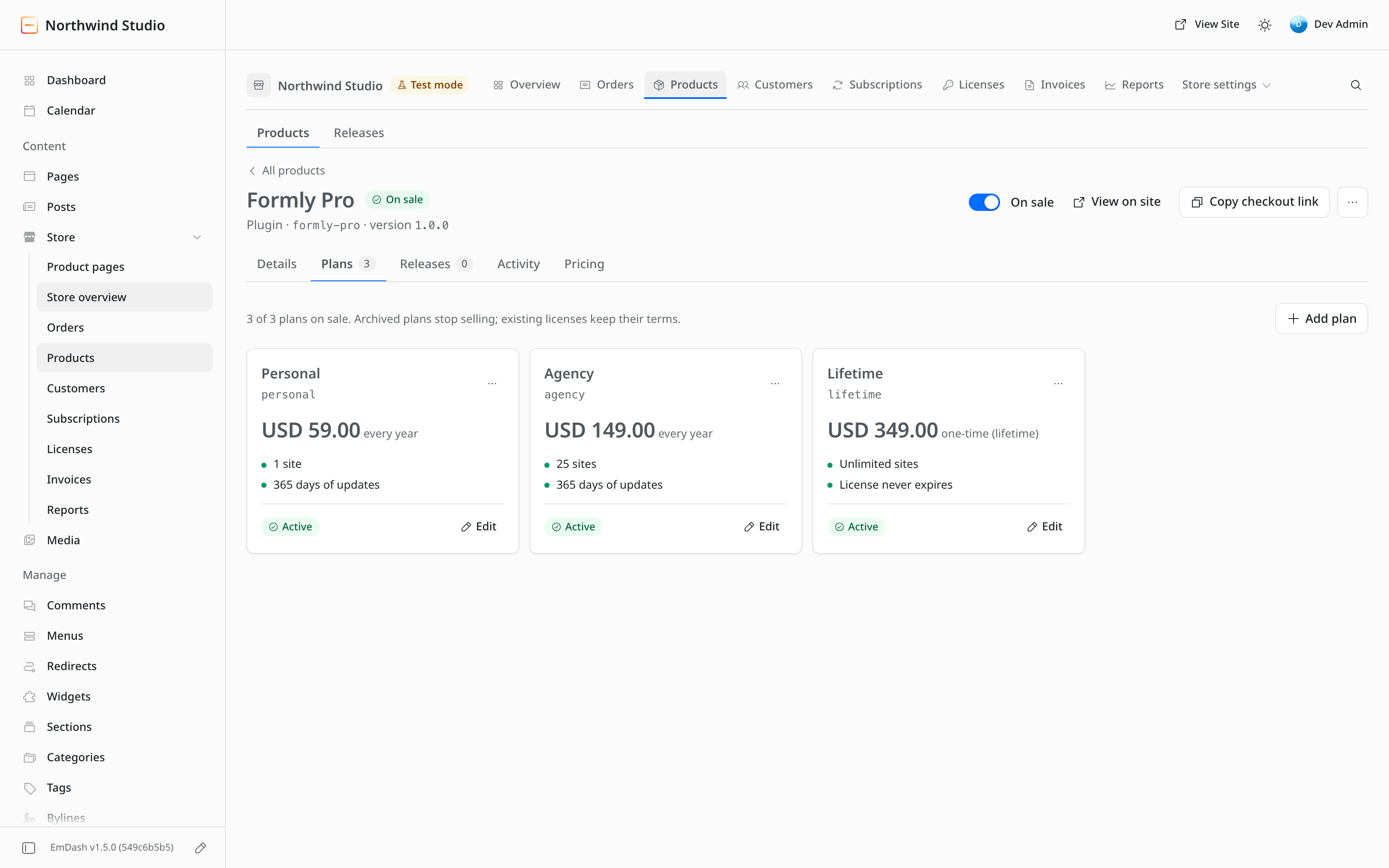
A product can carry several plans, each with its own price, billing period and site limit. The demo shows $59 a year for 1 site, $149 a year for 25 sites and $349 one time for unlimited sites.
- License keys issued with the order
- Site activations counted against the plan's limit
- Update delivery for WordPress products and EmDash plugins
Licenses and Subscriptions
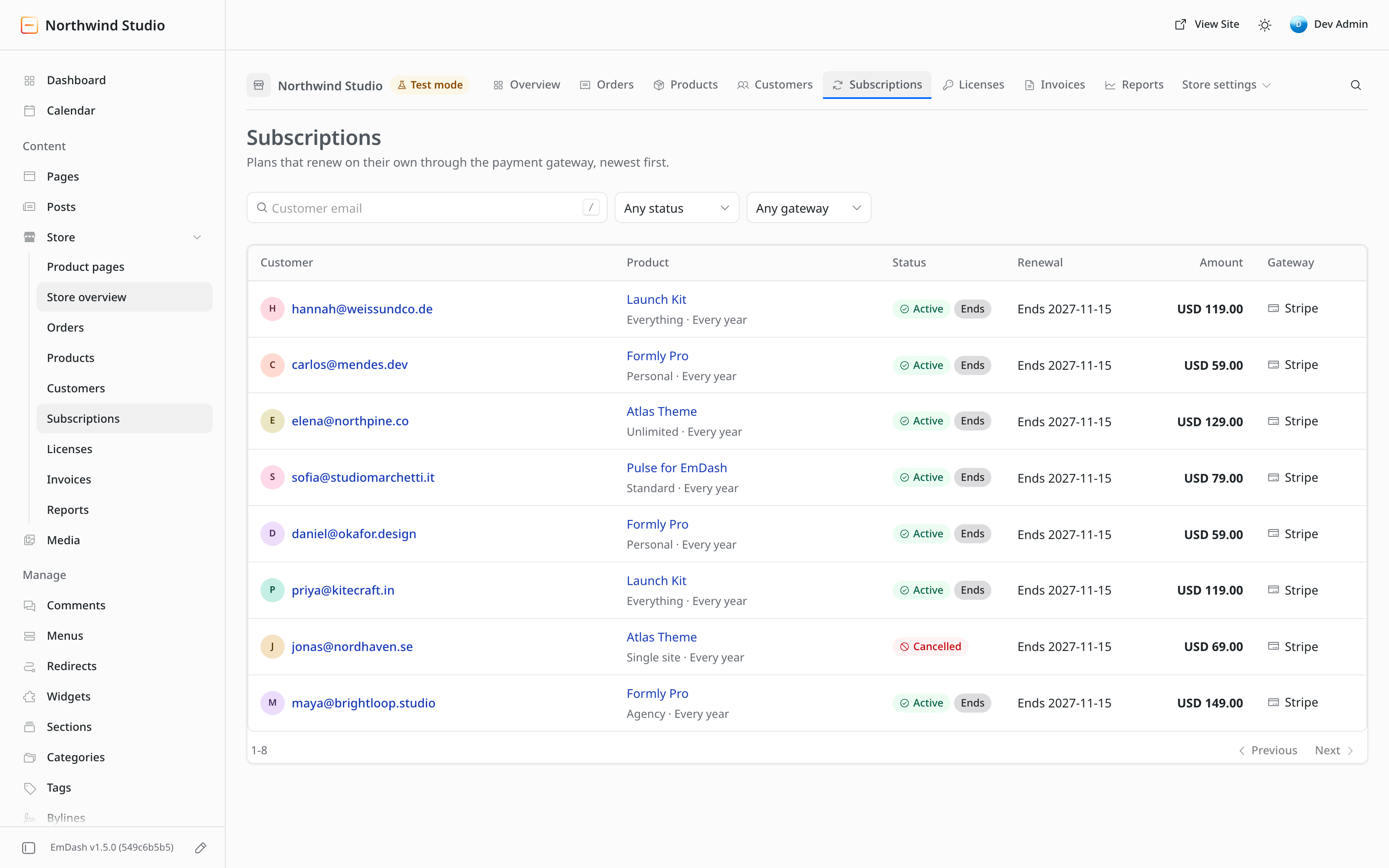
Every license key and every subscription has a row, with the actions support needs most.
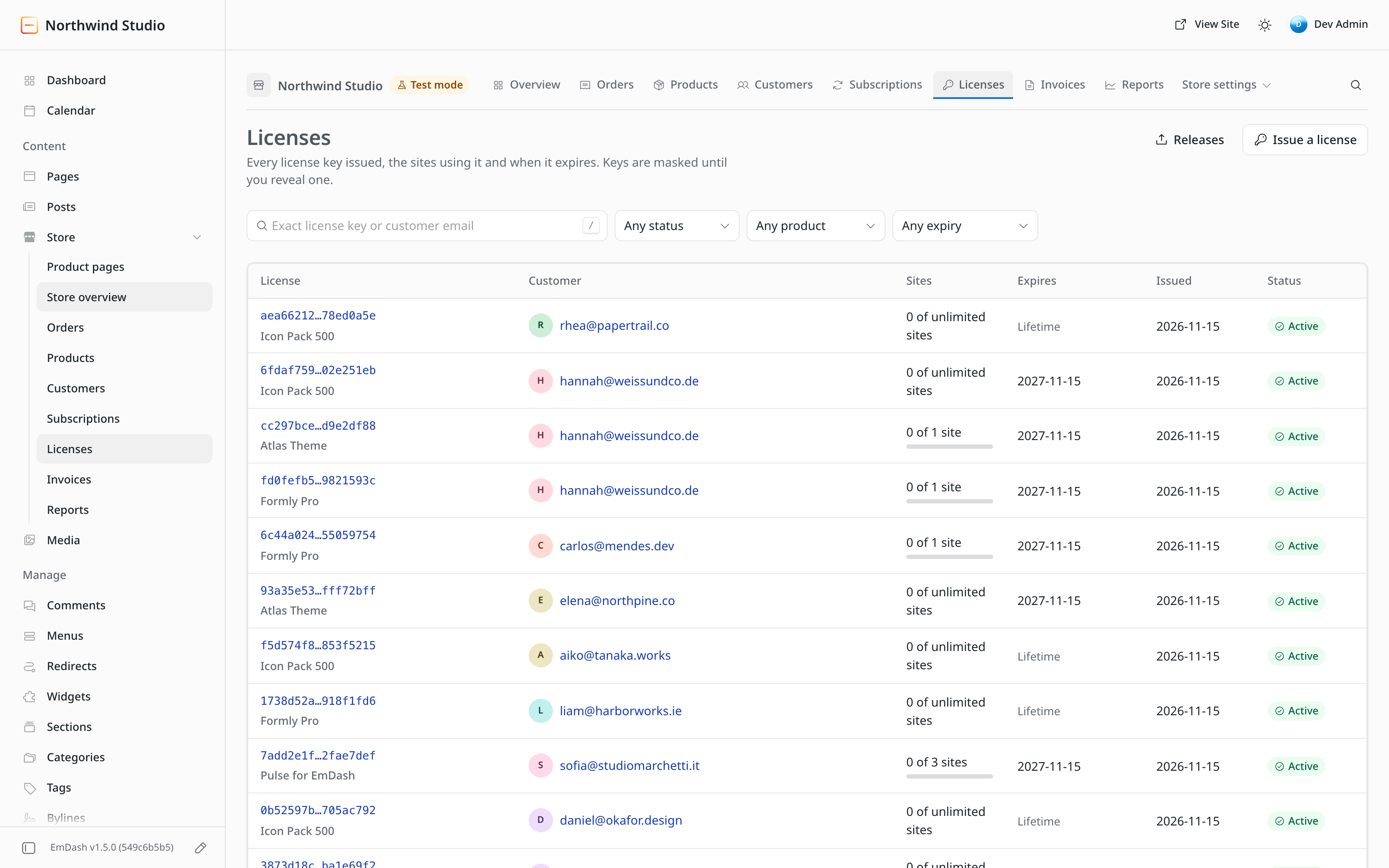
- Keys masked until revealed, with sites used against the limit, expiry and status
- Search by exact key or email
- Extend a license, change its site limit, disable it or resend the key
- Subscriptions with the renewal date and amount, plus cancel and resume
Customers
The customers list has one row for everyone who bought or was issued a license.
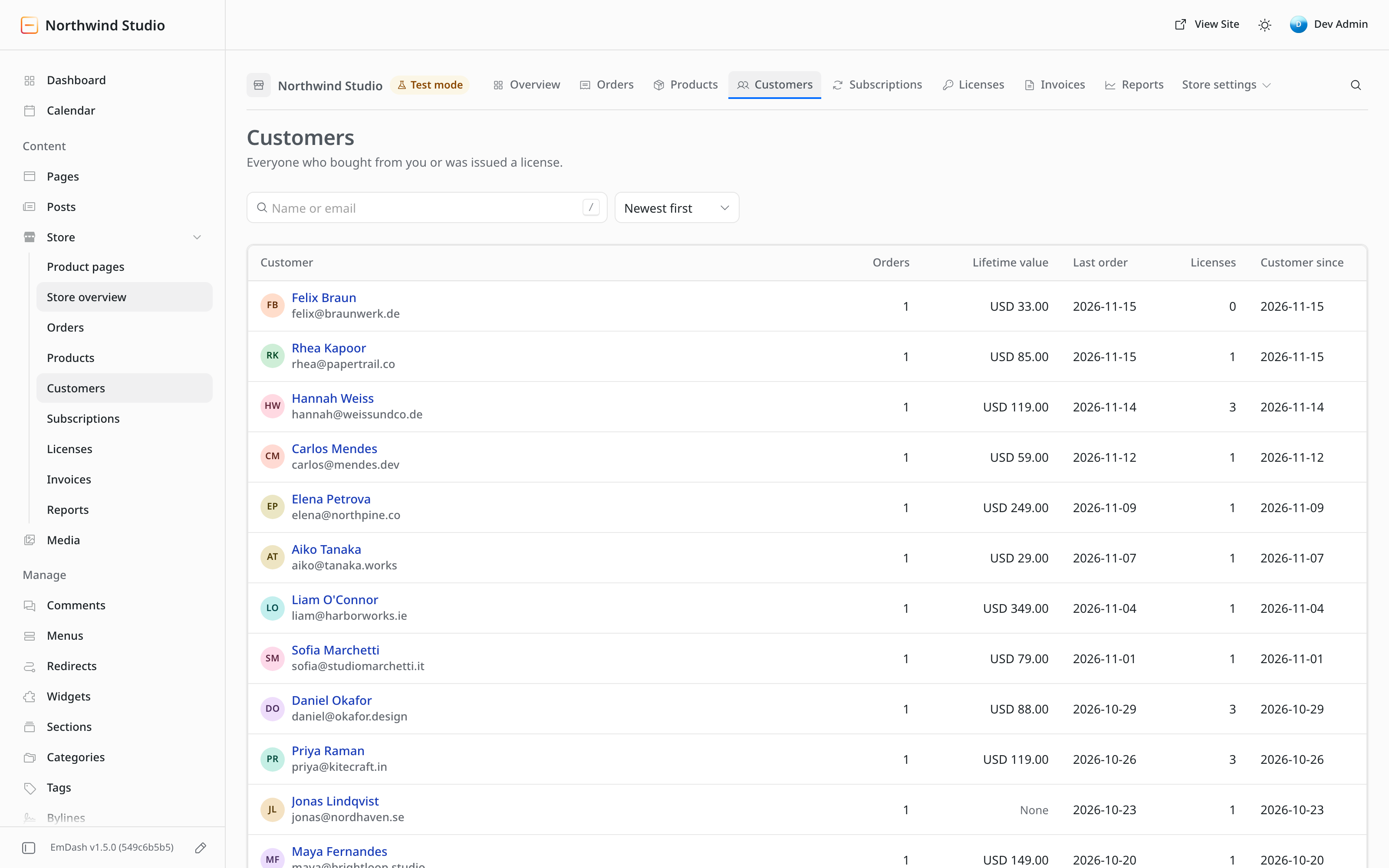
- Orders, lifetime value per currency, last order and licenses for each customer
- Search by name or email
- Export and erase for privacy requests
Storefront
The product index and the product pages are served from the same EmDash site as the rest of the content.
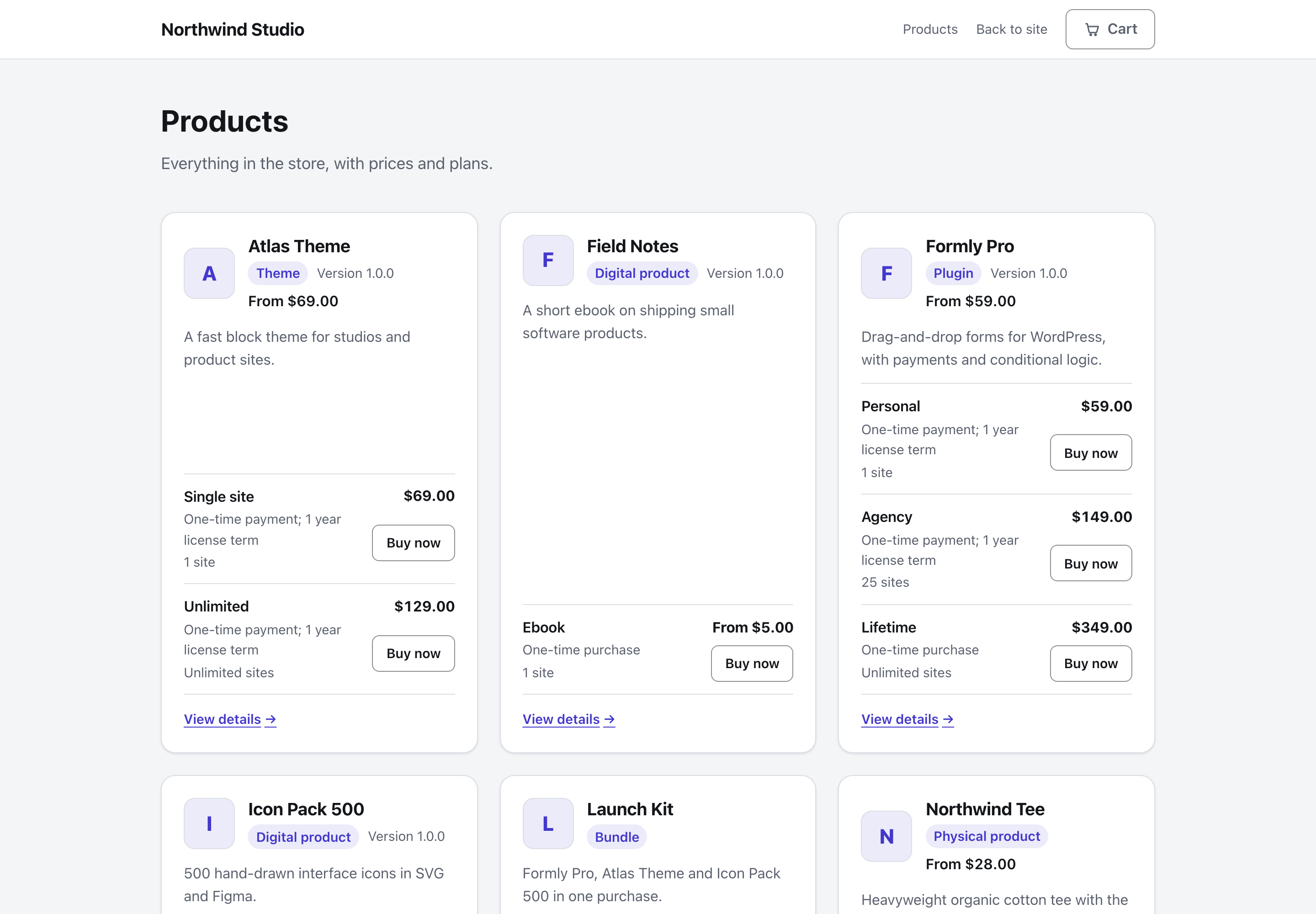
- A product index and a page for each product
- No separate storefront app to host
- Styled from the Appearance screen in the admin
Product Pages
A product page shows the plans as selectable cards and says what the buyer gets before the purchase.
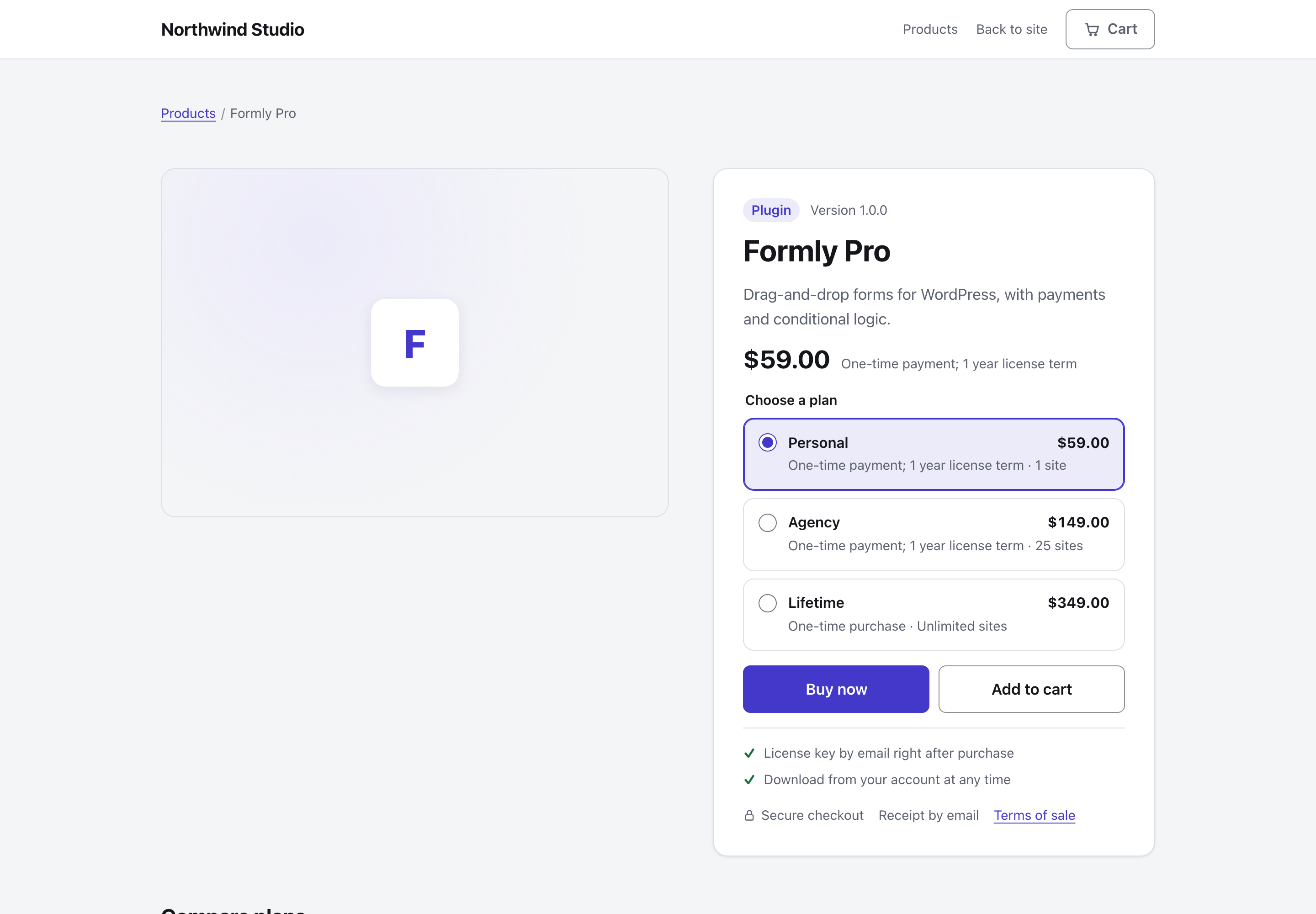
- Plans as cards with the price, billing period and site limit
- Buy now and Add to cart
- What the buyer gets, listed up front
- schema.org product data for search engines
- Long-form content from the Product pages content type shows above the plans
Cart Drawer
The cart opens in a drawer, so the buyer stays on the page.
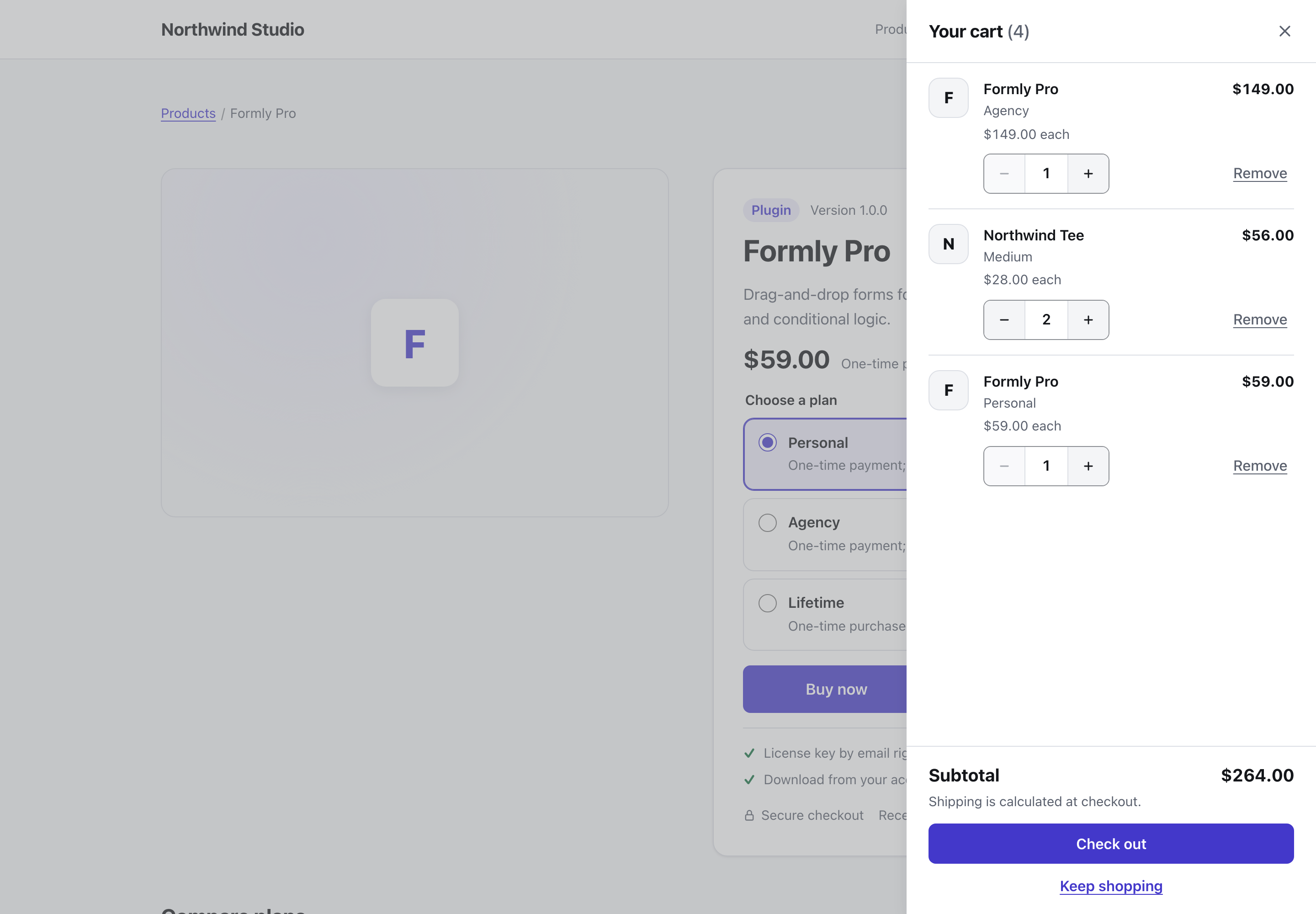
- Quantities, held to the stock limit
- Undo after removing a line
- A subtotal, with a note that shipping is calculated at checkout
Cart and Checkout
A cart puts several products, with quantities, into one checkout and one payment.
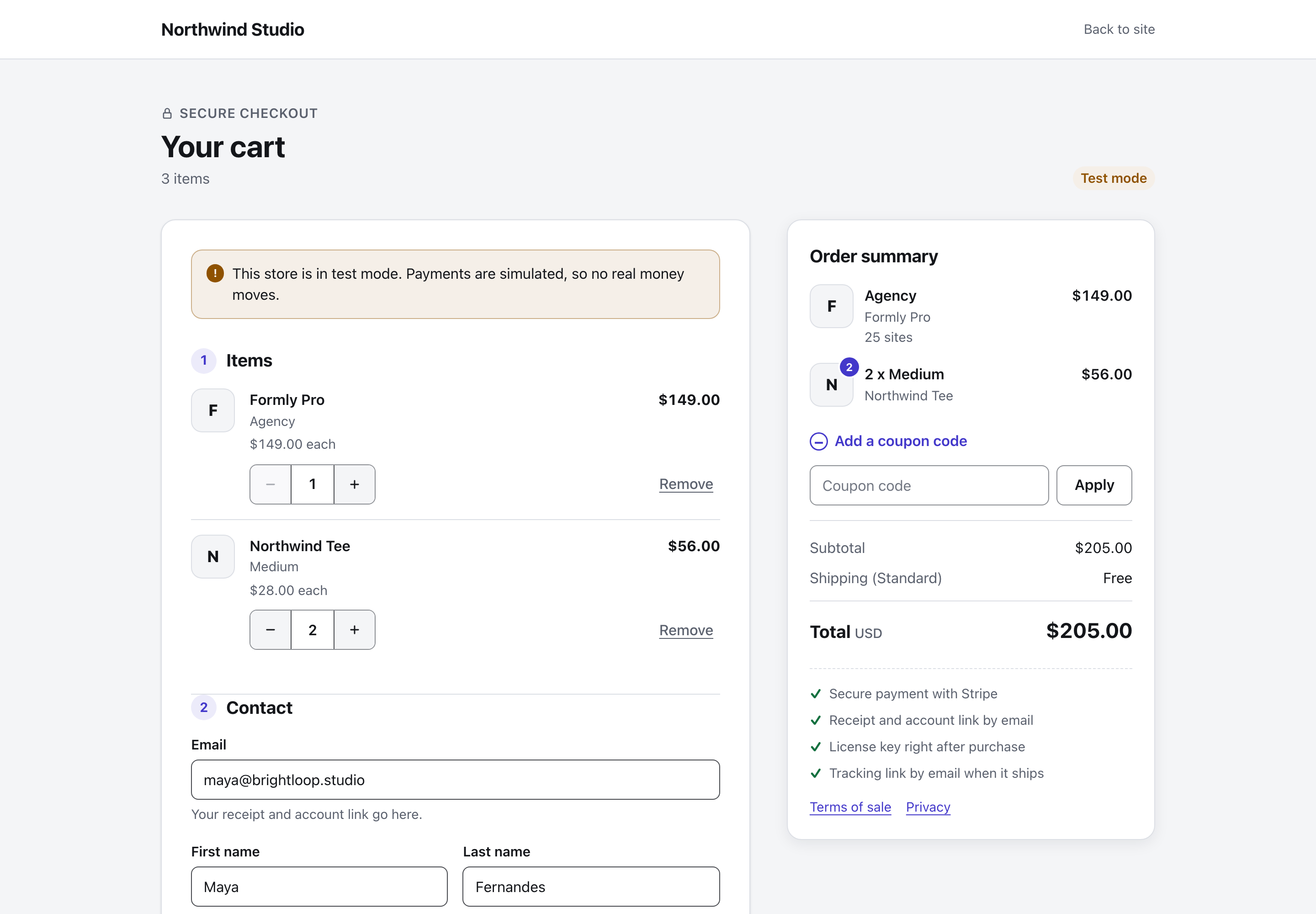
- Add-to-cart links and buttons
- Quantities that change in the cart
- A cart can hold one subscription. Only Stripe takes one-time items beside it
One-Page Checkout
The whole checkout is one page, and it works without JavaScript.
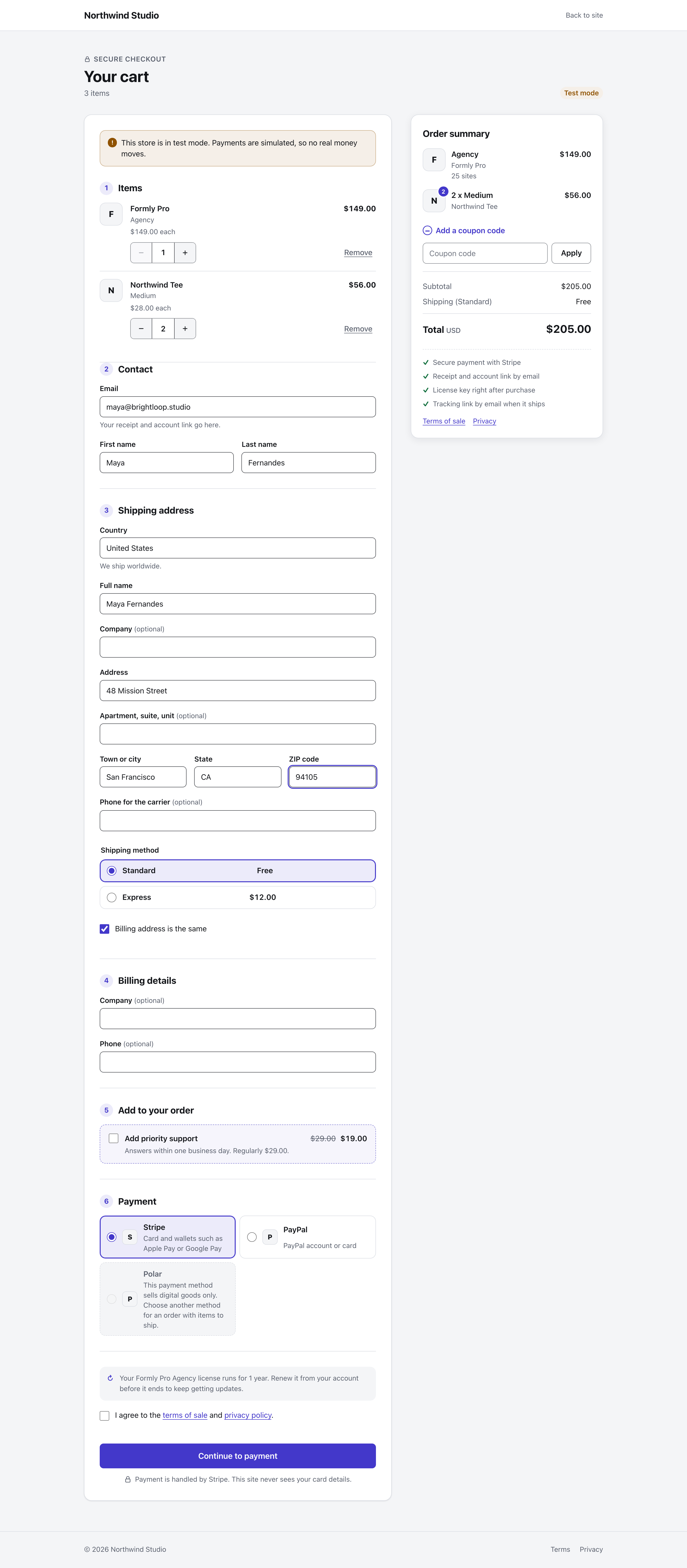
- Items and contact details
- Shipping address and shipping method, only when something ships
- Billing details
- An optional add-on
- Payment method and terms
Physical Products
A physical product sells from the same storefront as the digital ones.
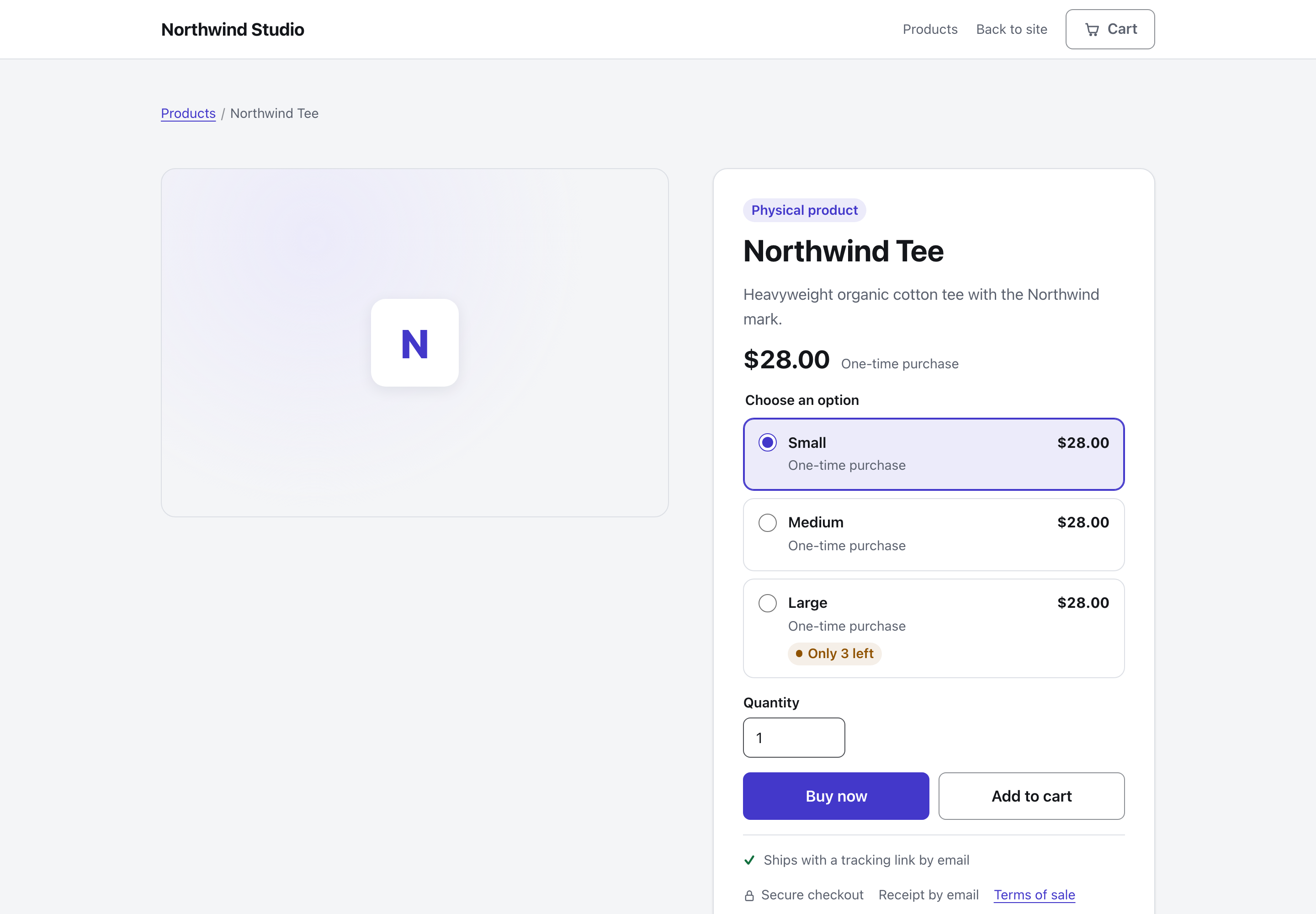
- Sizes and other options as plans
- Stock states such as "Only 3 left" and out of stock
- A quantity field
Shipping and Stock
Shipping zones set where the store ships and what it costs. Stock is tracked for each plan.
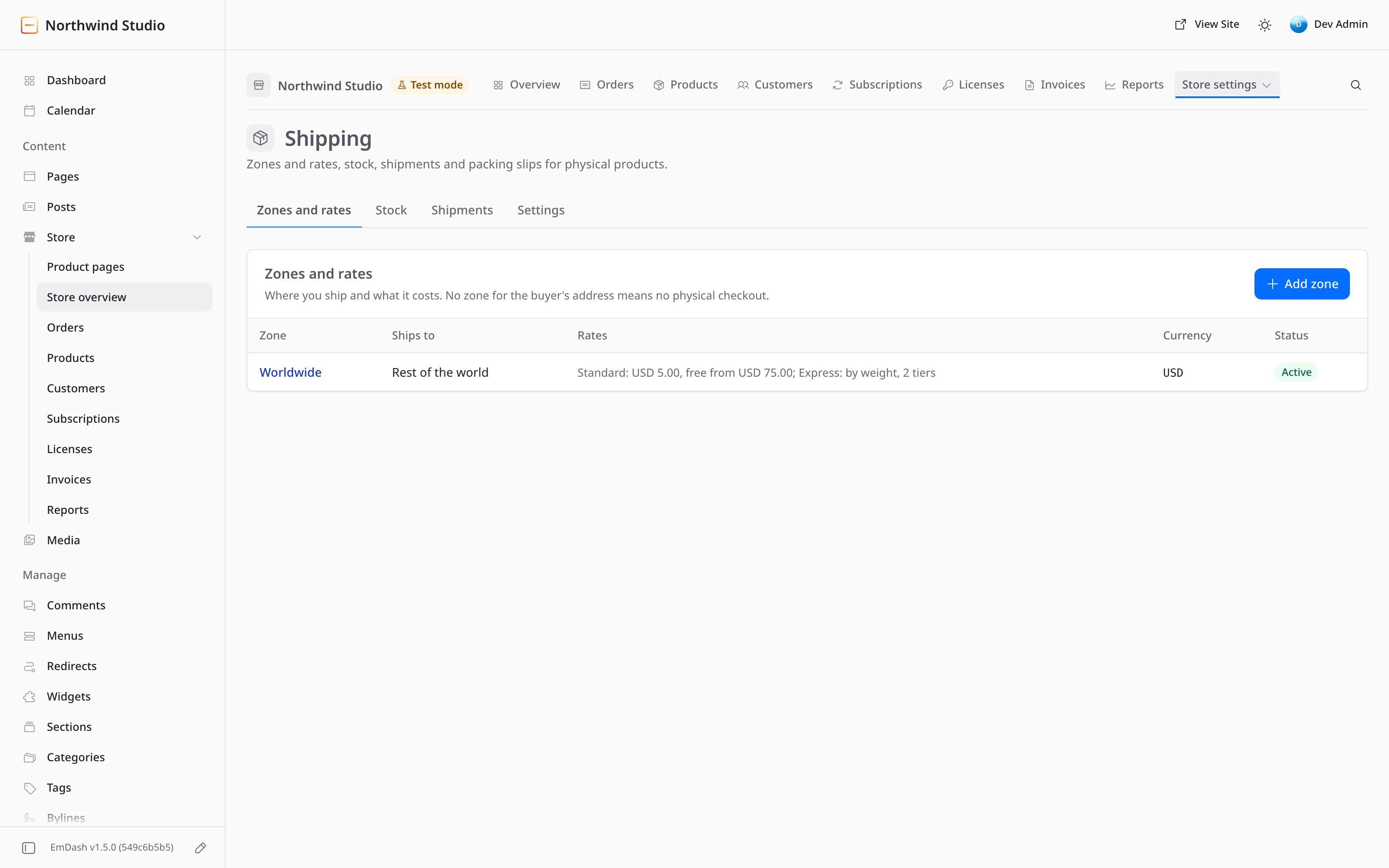
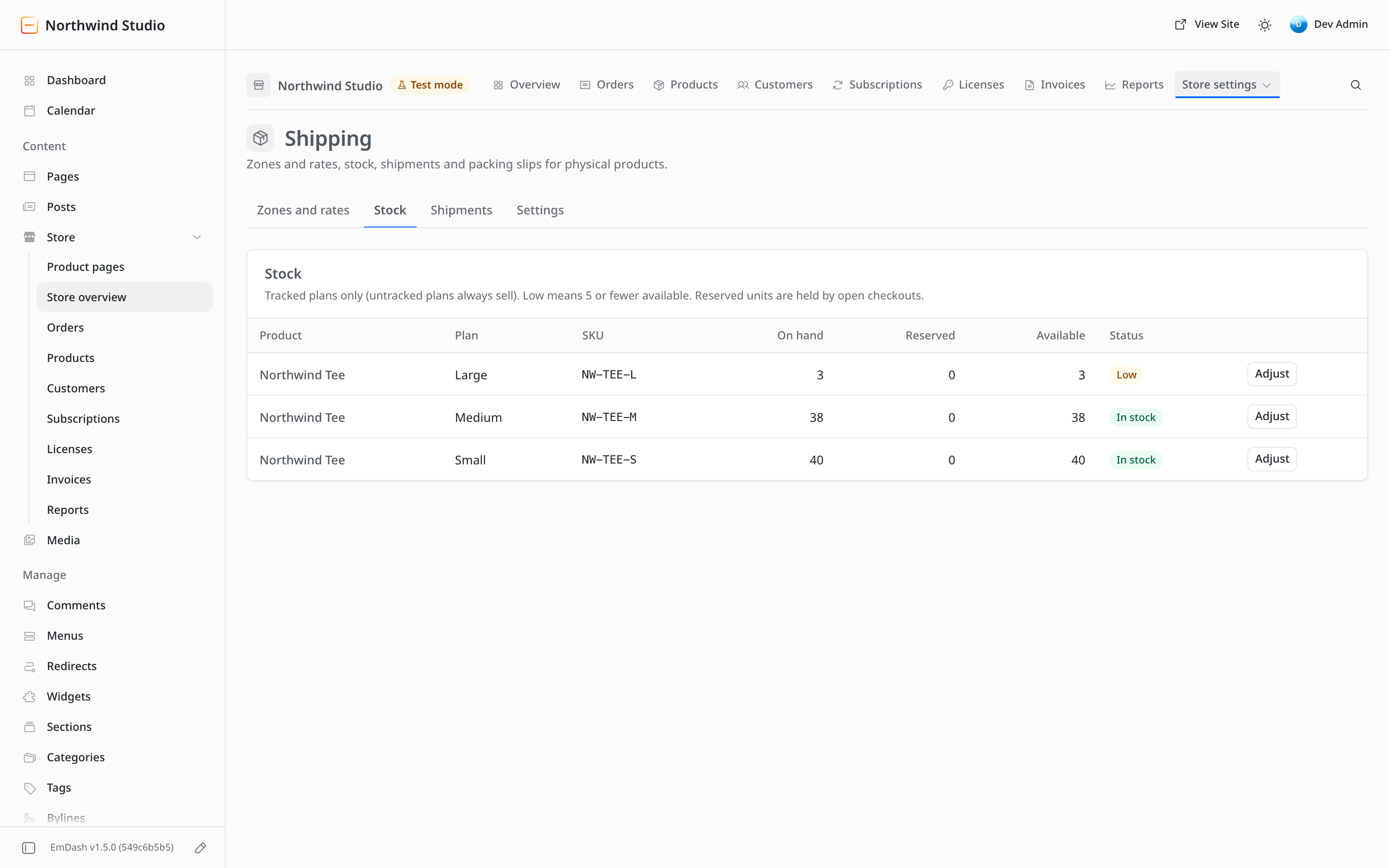
- Zones by country or region
- Flat, order-value and weight rates, with a free-shipping threshold
- Stock per plan, with units held while a checkout is open
- Low-stock flags, and adjustments with a reason
- No live carrier rates and no label printing
Shipments
An order that ships gets its shipments recorded on the order itself.
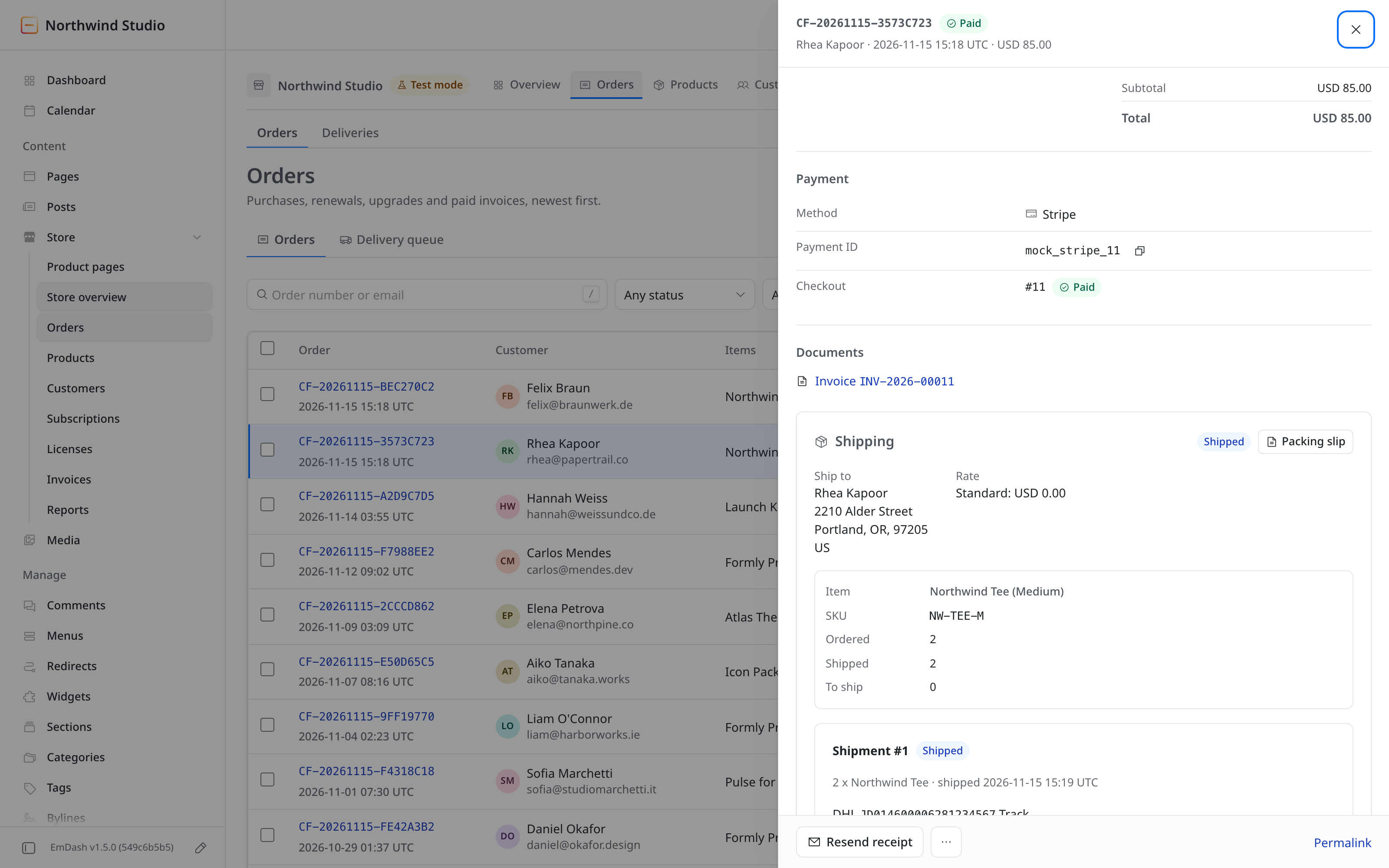
- Carrier, tracking number and tracking link
- A packing slip
- A shipped email with the tracking link
- Ordered, shipped and still to ship, for each item
- A refund can return the stock
Outgoing Webhooks
Vendwick sends signed events to your own endpoints when orders, licenses and subscriptions change.
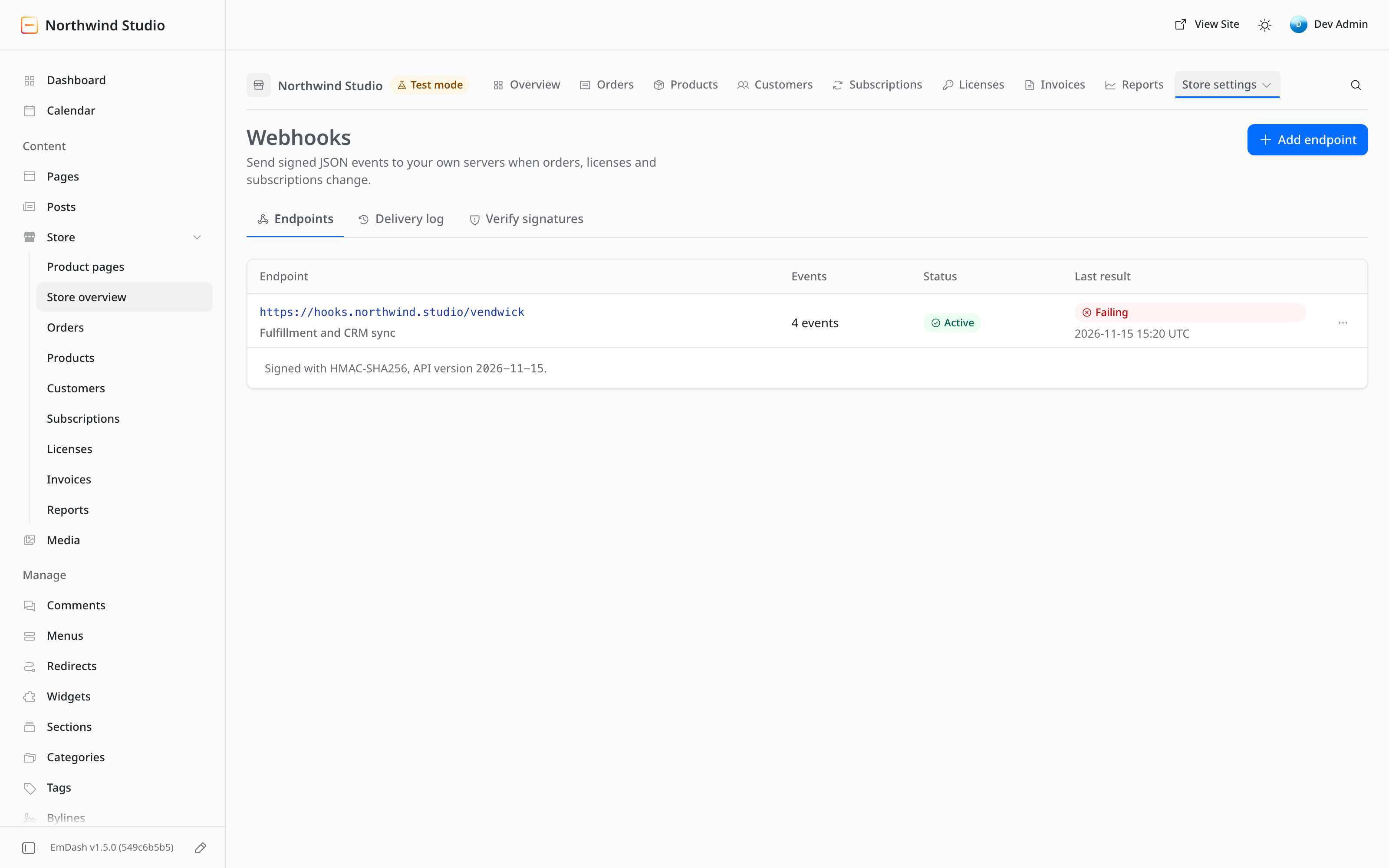
- Signed JSON events
- A delivery log, with redelivery and a test event
- Retries for failed deliveries
Integrations
The integrations page shows what the store is connected to.
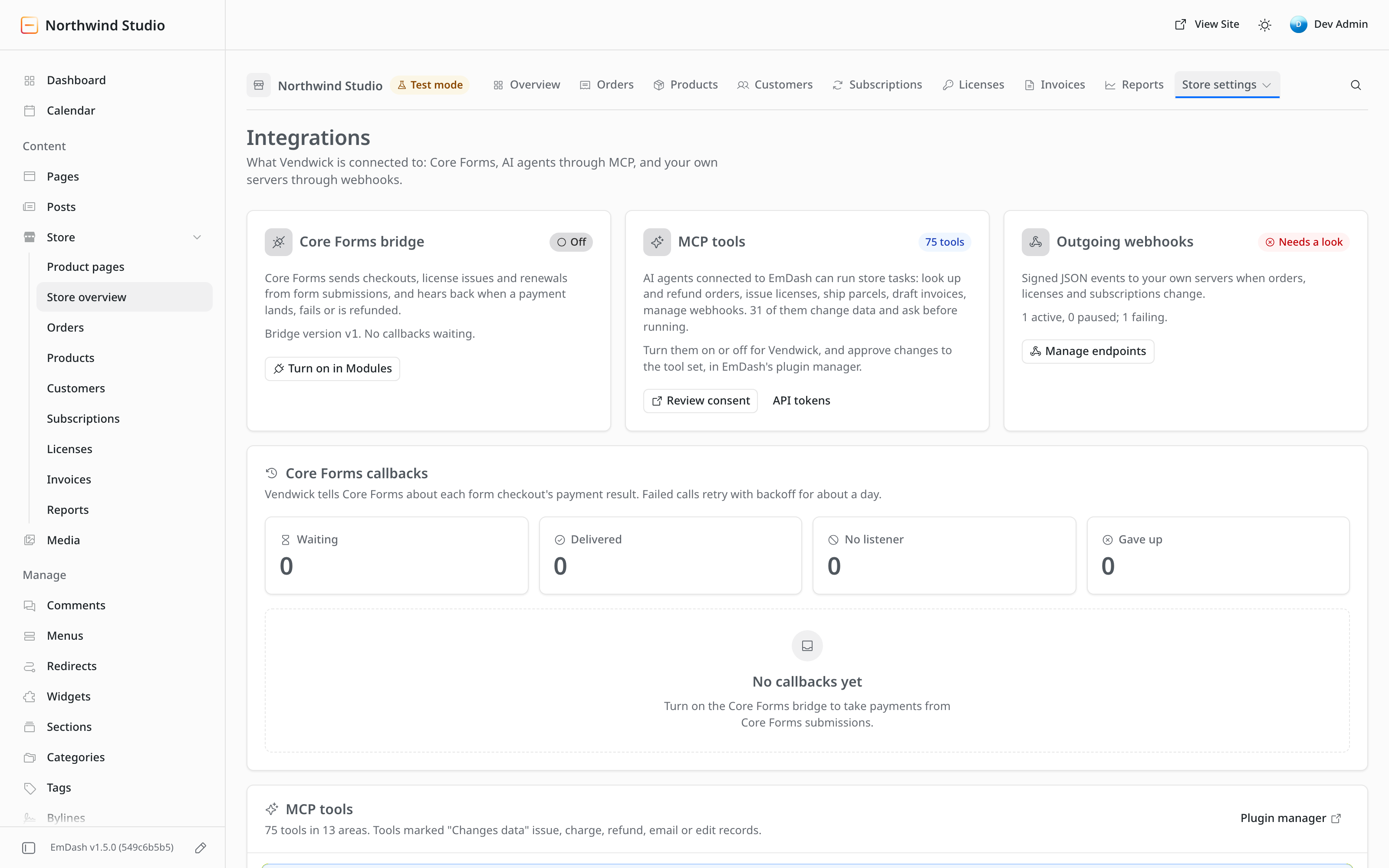
- 75 MCP tools, so AI agents connected to EmDash can run store tasks
- The Core Forms bridge, which takes payments from Core Forms submissions
Modules
Each store turns on only the features it uses.
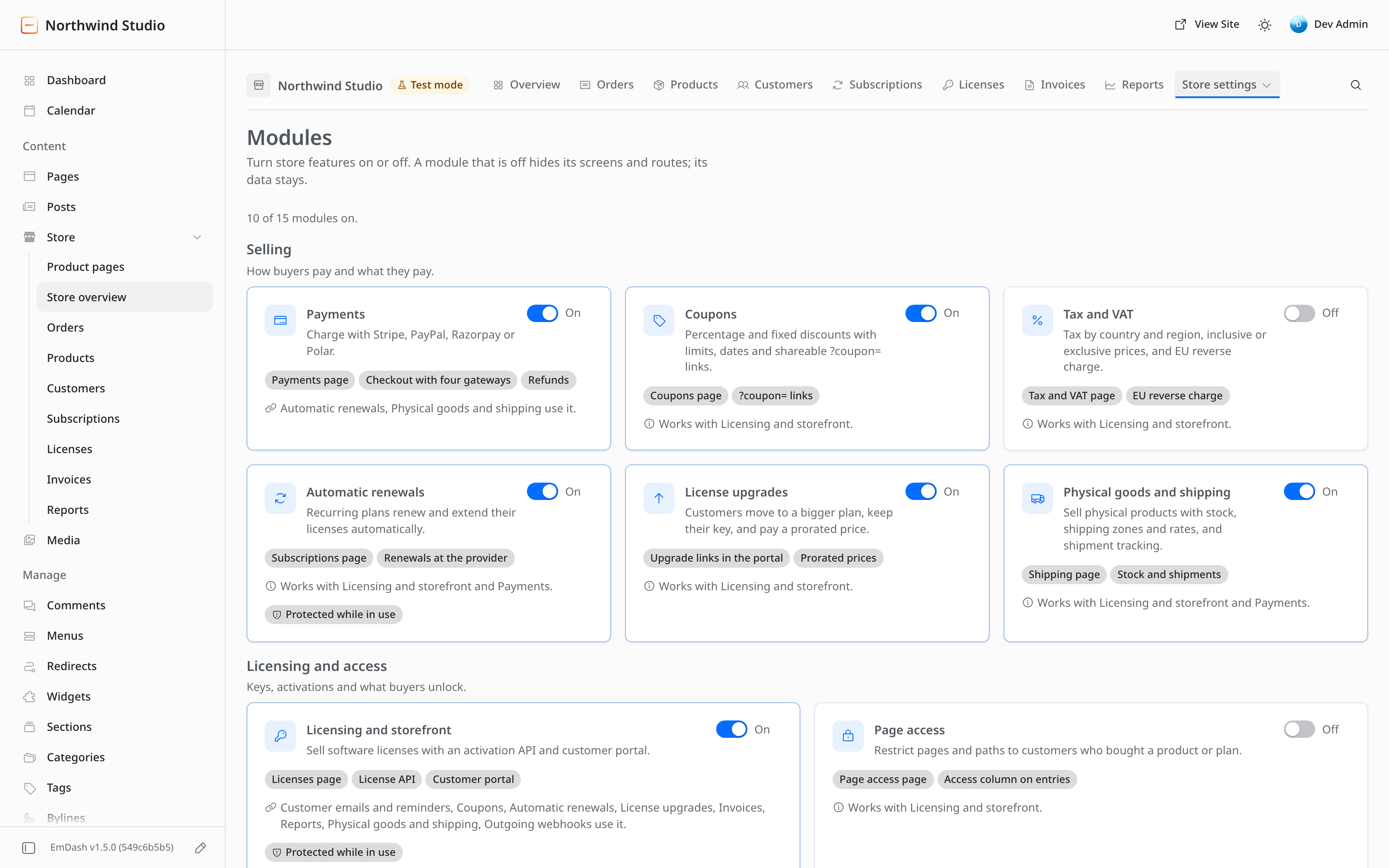
- A switch for each module
- A module that is off hides its screens and routes, and its data stays
Also in 0.2.0
These are in the release too and have no screenshot on this page.
- Pay-what-you-want plans with a minimum, a suggested and an optional maximum price
- Free orders, with an email confirmation before delivery
- Order bumps: optional extras offered on the checkout page
- An importer for FluentCart and Easy Digital Downloads stores, tested with sample rows only
- Disputes: an open dispute suspends the order's licenses, and a won one restores them
Get Vendwick 0.2.0
A purchase today gets version 0.2.0. The home page listswhat 0.2.0 includes and its known limits.
Or $59 per year. The install guide covers setup.